Kaali


Kaali Summary
Kaali is a mobile Android app in Social Networking by Robles Interactive Media. Released in May 2020 (5 years ago). It has about 209.2K+ installs and 1.4K ratings with a 3.88★ (average) average. Based on AppGoblin estimates, it reaches roughly 3.4K monthly active users . Store metadata: updated Jun 30, 2023.
Recent activity: 3.3K installs this week (3.3K over 4 weeks) showing exceptional growth View trends →
Store info: Last updated on Google Play on Jun 30, 2023 .
3.88★
Ratings: 1.4K
Screenshots

App Description
Social Media Management Made easy
Kaali is the best App for Automation & Scheduling on Social Media. Plan & photos or videos from both the web at kaali.app and mobile.
The best of all, all scheduling features are free, forever.
Why you’ll love Postearly:
• Automatically post Reels
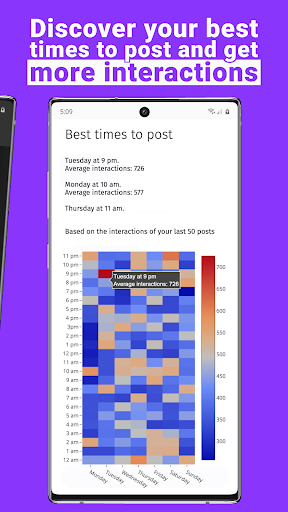
• Discover your best times to post and get more interactions *
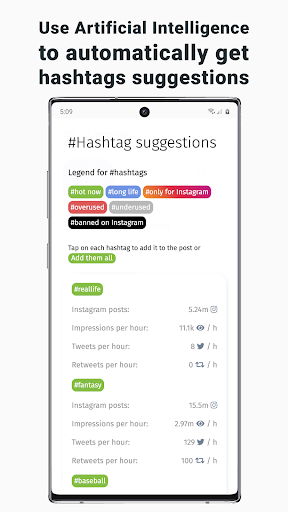
• Use Artificial Intelligence to automatically get hashtags suggestions *
• Upload photos or videos directly from your computer or mobile device
• Save time by planning and scheduling your posts in advance
• Manage multiple social media accounts
• Publish stories, photos, videos and albums
• Preview your feed feed as you plan
• Simultaneously publish your posts on multiple social media.
¡No reminders!
• Upload photos, type captions, the first comment, schedule and manage your social media posts from your computer, tablet or phone
• Plan and review your posts for the coming week - or month - in one sitting
• Go to the beach 🏖, posts are automatically published even if your phone is turn off or have no internet at all.
Multiple social media Accounts
• Schedule and manage content for multiple social media accounts
Multiple Team Members
• Invite your entire team!
• Add users to your account to collaborate on uploading and scheduling content
The Community Manager of the Community Manager.
Question?
help@kaali.app