Partial Color Master - Editor


Partial Color Master - Editor Summary
Partial Color Master - Editor is a ad-supported, with in-app purchases Android app in Photo And Video by Powder Code. Released in Nov 2018 (7 years ago). It has about 351.4K+ installs and 4.2K ratings with a 4.42★ (good) average. Based on AppGoblin estimates, it reaches roughly 2.2K monthly active users and generates around $<10K monthly revenue (31% IAP / 69% ads). Store metadata: updated Oct 6, 2025.
Recent activity: 36 installs this week (143 over 4 weeks) showing steady growth , and 1.00 new ratings this week View trends →
Store info: Last updated on Google Play on Oct 6, 2025 .
4.42★
Ratings: 4.2K
Screenshots


App Description
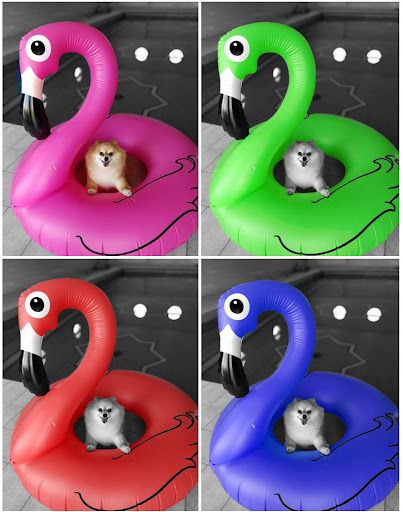
Turn photos into art pieces with partial color, selective color & color splash!
Partial Color Master is a photo edit tool focused on color slpash, color pop, selective color or partial color effect.
EXTRA FEATURE: Color swap. Change the colors from the original image.
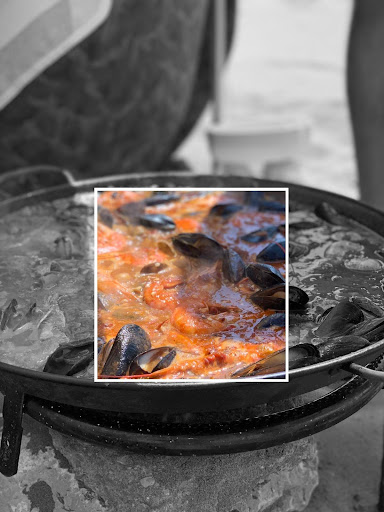
EXTRA FEATURE: Color Frame. Turn into black & white only one section of the original image. Choose between a lot of different frames.
Partial color involves transforming a photo into black & white and revealing some areas using color selection and manual edit. You can take new photos or pick one from gallery. Enjoy the unique color intensity selector simplifying the edition process.
* All the images from this page have been edited with Partial Color Master using a mobile device. *
The process is divided into 3 steps: Color splash, Manual edit and Publish.
1) In Color splash you will be able to pick the colors directly from the image that you want to be shown.
2) Manual edit will allow you to use the brush and edit the photo to achieve your desired results.
3) Publish is the last step. Save the resulting picture in your device and publish it on your favourite social networks!
Instagram: @partialcolormaster