SI Smartphone Printer


SI Smartphone Printer Summary
SI Smartphone Printer is a free Android app in Photo And Video by PRINICS Co., Ltd. Released in Sep 2017 (9 years ago). It has about 46K+ installs and 167 ratings with a 1.76★ (poor) average. Based on AppGoblin estimates, it reaches roughly 228 monthly active users . Store last updated May 14, 2025
Recent activity: 63 installs this week (218 over 4 weeks) showing below average growth View trends →
SI Smartphone Printer SDKs Summary
App not yet scanned for SDKs.
1.76★
Ratings: 167
Screenshots


App Description
Sharper image smartphone printer companion application
Thank you for purchasing SI Smartphone Printer.
Supported Models :
SI Smartphone Photo Printer SKU 205983 (Wi-Fi Model)
SI 2x3 Instant Camera SKU 207135
SI Smartphone Photo Printer SKU 207127
SI 3 inch Instant Printer SKU 207126
Easily print amazing photos with SI Photo Printer
The "Sharper Image" Instant photo printer and camera can be used to print images from smartphones by connecting Bluetooth to the device.
You can take and edit pictures on smartphones or tablets. It will instantly print your precious moments!
[How to Use]
1. Make sure you recharge the printer before you use it.
2. Make sure the Adapter is connected properly.
3. Turn on the printer
4. Go to Bluetooth setting and find the printer’s MAC address.
The MAC address is placed inside the printer’s door
If you purchased Dock Printer, dock your smartphone at the pin on top the of the printer or find the MAC address on the downside of the printer to connect the device to the Bluetooth.
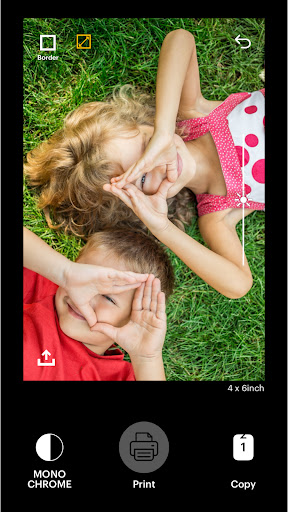
5. Select an image from the Gallery or take a photo with your smartphone.
6. Once image has been selected, edit the image with your personal preference.
7. Now press print button located on top of the printer when editing is completed.
8. When you print for the first time, it may need to update the firmware. Please follow the instruction shown on the screen of your smartphone.
9. It will take about a minute to fully print. Please do not pull the photo until it is completely printed.
If you are using Wi-Fi model (SKU 205983 ) please put password as below when connecting Wi-Fi.
Wi-Fi password: 12345678