Project Assist


Project Assist Summary
Project Assist is a mobile Android app in Education by Pro-Study Ltd. Released in Dec 2020 (5 years ago). It has about 5.6K+ installs Based on AppGoblin estimates, it reaches roughly 431 monthly active users . Store metadata: updated Mar 5, 2026.
Recent activity: 201 installs this week (748 over 4 weeks) showing steady growth View trends →
Store info: Last updated on Google Play on Mar 5, 2026 .
0★
Ratings: 0
Screenshots

App Description
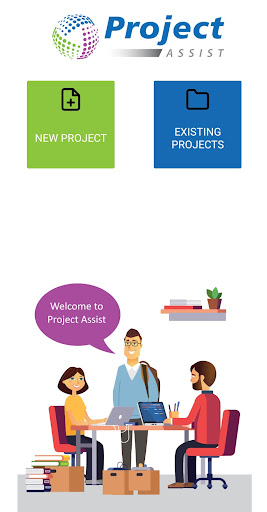
Project Assist helps you to easily collect, store and organise your research
Project Assist (App) is an extension of Pro-Study and Pro-Workspace (Desktop Versions) enabling you to also use your Smart Phone and/or Tablet to quickly collect, organise and access your research in more places.
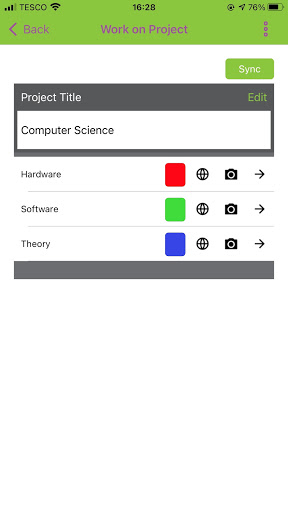
You can use Project Assist to easily collect important information from multiple sources and store it all in the colour coded categories within your projects. Project Assist also gives you a powerful OCR tool, image capturing and access to over 27 million book references by simply scanning a barcode. All your projects will be synced with the cloud and can therefore be accessed across multiple devices and your computer. Once on your computer you will have access to over 9.5k reference styles. Project Assist allows you to capture research on the go, whilst keeping your research safe and organised.
Web-Sources
With its inbuilt Web-Browser you are able to highlight and capture information directly from Web-Sources and save the information to your chosen colour coded categories. This feature will also automatically capture any reference information available.
Online PDFs
Highlight and capture information from online PDFs and save the information directly to your chosen colour coded categories.
Upload Images
Upload images from your phone or tablet and save them directly to your chosen colour coded categories.
Camera
Use the camera on your phone or tablet to take pictures and save them directly to your chosen Pro-Study colour coded category.
A good example would be to save pictures of text and graphs from within textbooks.
Barcode Scanning
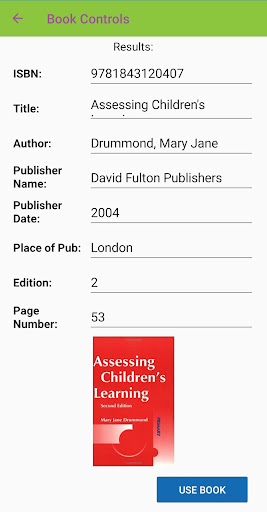
You can use the camera again to scan the barcode of a book to save all the reference information. Once on the desktop version you will then have access to over 9.5K different reference styles.
Optical Character Recognition (OCR)
Project Assist comes with a powerful OCR feature so you can convert pictures of text into editable text.
Synced
All the saved information will be synced between the Project Assist App and the Desktop Version so all your priceless research is never too far away.