Watermark

Watermark Summary
Watermark is a ad-supported Android app in Photo And Video by Quarter Pi. Released in Aug 2015 (10 years ago). It has about 75.3K+ installs and 909 ratings with a 3.40★ (mixed) average. Based on AppGoblin estimates, it reaches roughly 21 monthly active users and generates around $<10K monthly revenue (0% IAP / 100% ads). Store metadata: updated Mar 8, 2024.
Recent activity: 1.00 installs this week (8.00 over 4 weeks) showing steady growth View trends →
Store info: Last updated on Google Play on Mar 8, 2024 .
3.4★
Ratings: 909
Screenshots


App Description
Easiest way to add custom watermark, logo or trademark on your photos.
****** Marshmallow users getting "Screen overlay detected" message please see solution at the bottom ******
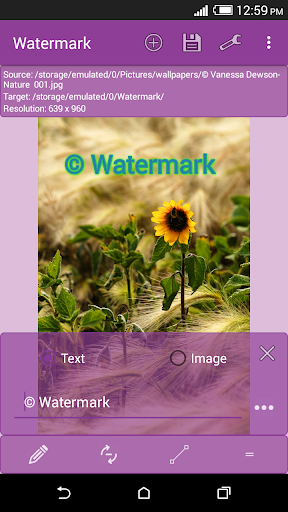
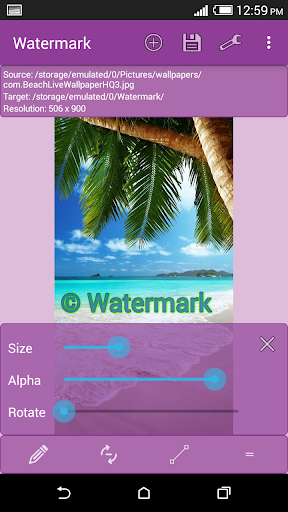
Watermark is an amazing app which helps you place any custom text, logo or your company trademark as watermark on your photos. You can easily adjust the size, rotation, transparency, text color, stroke and shadows.
Key Features:
Add watermark as text or image.
Choose images from your gallery or take one from camera.
Easily adjust size, transparency (alpha), rotation, stroke width, shadow width, offset etc.
Choose from list of fonts. Change font color, stroke color and shadow color.
Full support of EXIF data
Saving target as .jpg or .png
Support of transparent .png images as watermark
Quick share after saving image.
More features are coming in next release.
Tip: Don't delete original images after watermarking, because you can't remove watermarks from processed images.
********************************************
For Marshmallow user getting Screen overlay detected message
********************************************
This is not the app problem, its Marshmallow's, please don't give 1 star because of this. Try following solution.
Go to Settings->Application manager and from overflow menu (3 dots button) choose Reset app preferences and then restart your phone. This resets app preferences for all apps so you will see some notifications after restart.
Email us if you have any question.