Vaulty: Passwords for Humans

Vaulty: Passwords for Humans Summary
Vaulty: Passwords for Humans is a mobile Android app in Tools by Quicosoft. Released in Feb 2016 (10 years ago). It has about 1.4K+ installs Based on AppGoblin estimates, it reaches roughly 63 monthly active users . Store metadata: updated Mar 10, 2026.
Recent activity: 1.00 installs this week (29 over 4 weeks) showing below average growth View trends →
Store info: Last updated on Google Play on Mar 10, 2026 .
0★
Ratings: 0
Screenshots
App Description
Unlimited passwords, custom fields & Google Drive sync. Your digital safe.
Stop using "Password123" for your bank account. We both know you’re better than that.
Let’s face it: your brain wasn't meant to memorize 47 different variations of your childhood pet’s name. Meet the password manager that’s simple enough for your grandma but customizable enough for a tech wizard.
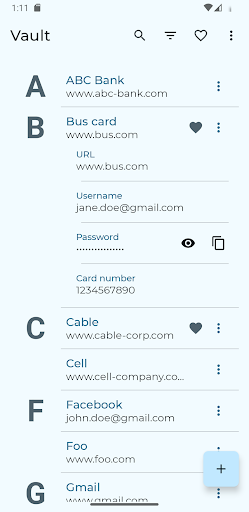
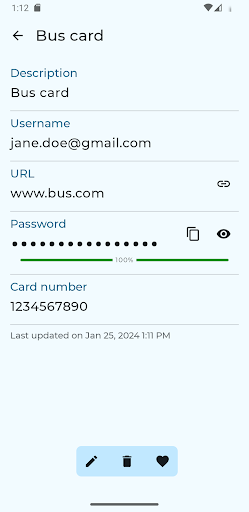
We give you the basics (Username, URL, Password), but why stop there? Whether you need to store your secret spice recipe, your router’s MAC address, or your cat’s insurance ID, we’ve got a slot for it.
Why you’ll love it:
● Total Customization: Add up to 20 custom fields per entry. If it’s data, we can hold it.
● The "Polygraph" Test: Our Password Analyzer sniffs out weak or recycled passwords. If your security is a wet paper towel, we’ll let you know.
● Google Drive Sync: Your data lives in your cloud, encrypted and tucked away. It syncs in the background like a digital ninja.
● Categories & Favorites: Organize your life into 16 different categories. Mark the essentials as favorites for those "I need this login right now" moments.
● Search Everything: Our search feature doesn't just look at titles; it digs through every field you've created.
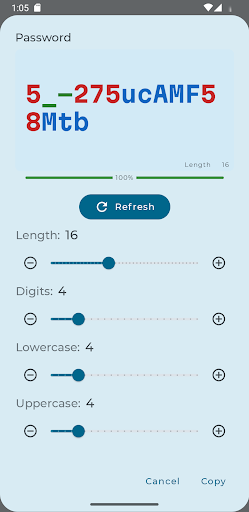
● Built-in Generator: Create passwords so complex even an AI would have a headache trying to crack them.
● Sharing is Caring: Securely share entries with other users of the app. Perfect for shared accounts.
The "Fine Print" (The Important Stuff):
To keep your data bulletproof, your main passphrase is the master key. Pick a good one during setup, because it’s the one thing we can’t change for you. It’s called "Maximum Security," not "Forgot My Key Again."
Ready to stop clicking "Forgot Password"? Download now.
Join the Beta:
https://play.google.com/apps/testing/com.quicosoft.passwordvault