PDF Signature Sign with Finger


PDF Signature Sign with Finger Summary
PDF Signature Sign with Finger is a ad-supported Android app in Productivity by Racorway. Released in Mar 2025 (1 year ago). It has about 3.3K+ installs Based on AppGoblin estimates, it reaches roughly 241 monthly active users and generates around $<10K monthly revenue (0% IAP / 100% ads). Store metadata: updated Dec 8, 2025.
Recent activity: 70 installs this week (190 over 4 weeks) showing exceptional growth View trends →
Store info: Last updated on Google Play on Dec 8, 2025 .
0★
Ratings: 0
Screenshots


App Description
Sign PDFs with your finger. Private & no account needed.
PDF Signature Tool Securely sign documents with your finger or stylus directly on your Android device. Designed for privacy, this app works completely offline—your data never leaves your phone.
Why choose this PDF Signer? We offer a simple tool to create unlimited electronic signatures without hidden subscriptions. It is the ideal solution for signing contracts, receipts, and permissions instantly.
Key Features:
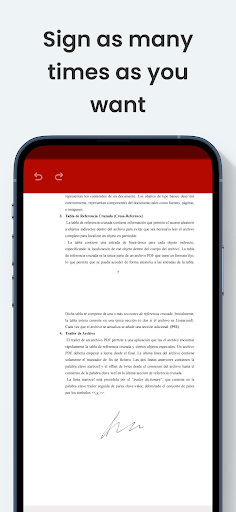
✍️ Handwritten E-Signatures Add your signature to PDFs, images, and documents effortlessly. Our technology ensures your signature looks smooth and realistic, just like using ink on paper.
🔒 100% Privacy Focused (Offline) Unlike other apps, we do not upload your files to cloud servers. All processing happens locally on your device. You can sign documents even without an internet connection.
🎨 Custom Ink Styles Choose your preferred ink color (blue, black, red) and adjust the pen thickness to match professional standards.
📂 No Registration Required Start signing immediately. No accounts, no login, and no unnecessary permissions requested.
Top Functions:
Import anywhere: Open files from your File Manager, Dropbox, or Google Drive.
Encrypted PDF Support: Sign password-protected documents securely.
Instant Sharing: Save your signed file or share via Email, WhatsApp, or Bluetooth.
Signature Gallery: Save your signatures to reuse them later with a single tap.
Ideal for:
Signing delivery receipts.
Authorizing school documents.
Quickly signing contracts remotely.
Validating work orders.
If you have feedback or need support, contact us: apps@racorway.com