New Year's Eve - Animated

New Year's Eve - Animated Summary
New Year's Eve - Animated is a ad-supported Android app in Personalization by RECREATIVE Watch Faces. Released in Oct 2023 (2 years ago). It has about 1.7K+ installs and 27 ratings with a 4.23★ (good) average. Based on AppGoblin estimates, it reaches roughly 23 monthly active users and generates around $<10K monthly revenue (0% IAP / 100% ads). Store metadata: updated Dec 4, 2025.
Recent activity: 6.00 installs this week (12 over 4 weeks) showing steady growth View trends →
Store info: Last updated on Google Play on Dec 4, 2025 .
4.23★
Ratings: 27
Screenshots


App Description
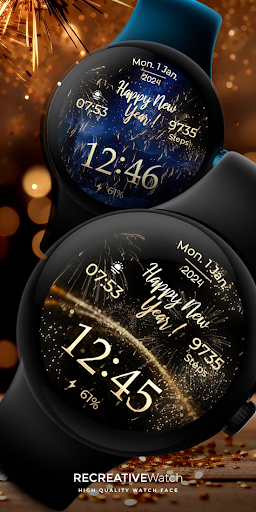
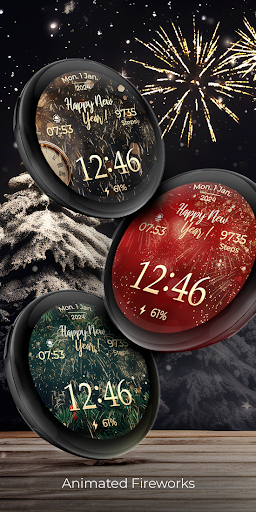
Wear OS Watch Face with Animated Fireworks! Christmas & New Year's Eve
🎆 Ring in the New Year with the animated Wear OS Watch face! Revel in dynamic fireworks and choose from multiple mesmerizing backgrounds, making every glance a celebration as the clock ticks down to midnight. 🕰️🎉🍾 We wish you a Merry Christmas & Happy New Year!
What date is displayed? For example: If you are in the year 2025, the watch face will show that year. When it's New Year's Eve, the watch face will display 2026 after 31 dec, 12:00.
⚙️ Phone App Features
This phone app is simply a tool to facilitate installation and locating the watch face on your Wear OS watch. Only the mobile app contains ads.
⚙️ Watch Face Features
• 12/24h Digital Time
• Date
• Battery
• Steps Count
• 2 customizable Complications
• 1 customizable Shortcuts
• 9 Backgrounds
• Animated Fireworks
• Always ON Display supported with changeable colors and changeable modes
🎨 Customization
1 - Touch and hold display
2 - Tap on Customize option
🎨 Complications
Touch and hold display to open customization mode. You can customize the field with any data you want.
🔋 Battery
For better battery performance of the watch, we recommend disabling the "Always On Display" mode.
✅ Compatible devices include API level 33+ Google Pixel, Galaxy Watch 4, 5, 6, 7 and other Wear OS models.
Installation and troubleshooting
Follow this link: https://www.recreative-watch.com/help/#installation-methodes
Watch faces don't automatically apply on your watch screen after the installation. That's why you must set it on your watch's screen.
💌 Write to support@recreative-watch.com for assistance.