Simple & Minimal - RE07

Simple & Minimal - RE07 Summary
Simple & Minimal - RE07 is a ad-supported Android app in Personalization by AstraTime. Released in Jan 2023 (3 years ago). It has about 50.8K+ installs and 322 ratings with a 4.61★ (excellent) average. Based on AppGoblin estimates, it reaches roughly 2.4K monthly active users and generates around $<10K monthly revenue (0% IAP / 100% ads). Store metadata: updated Aug 13, 2025.
Recent activity: 197 installs this week (877 over 4 weeks) showing steady growth View trends →
Data tracking: SDKs and third-party integrations were last analyzed on Nov 22, 2024.
Store info: Last updated on Google Play on Aug 13, 2025 .
SDKs, Trackers & Permissions
Simple & Minimal - RE07 was last scanned for SDKs 2024-11-22. Below is the overview of third party companies detected in the app. The full list of raw SDKs, app permissions and unknown SDKs is available here.
 Firebase
 Kotlin
 JetBrains
 Google
 JetBrains IntelliJ
App Details
App Store
Ads & App-Ads.txt
AppGoblin SDK Scans
4.61★
Ratings: 322
Screenshots


App Description
Wear Os Watch Face - Digital & Easy To Read - Big Numbers
The Recreative Watch is a minimal timepiece that offers customization options and a casual yet stylish appearance.
Powered by Watch Face Format
⚙️ Phone App Features
The phone app is simply a tool to facilitate installation and locating the watch face on your Wear OS watch. Only the mobile app contains ads.
⚙️ Watch Face Features
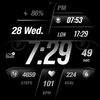
- 12/24hr Digital Time
- Date
- Battery
- Heart rate
- Steps Count
- Calorie Count
- 2 customizable shortcuts
- 2 customizable complications
- Multiple Color Variations
- Always ON Display supported with changeable colors and changeable modes.
🎨 Customization
1 - Touch and hold display
2 - Tap on Customize option
🎨 Complications
Touch and hold display to open customization mode. You can customize the field with any data you want.
🔋 Battery
For better battery performance of the watch, we recommend disabling the "Always On Display" mode.
✅ Compatible devices include API level 33+ Google Pixel, Galaxy Watch 4, 5, 6, and other Wear OS models.
Installation and troubleshooting
Follow this link: https://www.recreative-watch.com/help/#installation-methodes
Watch faces don't automatically apply on your watch screen after the installation. That's why you must set it on your watch's screen.
💌 Write to support@recreative-watch.com for assistance.