ReS57 - Christmas Countdown

ReS57 - Christmas Countdown Summary
ReS57 - Christmas Countdown is a ad-supported Android app in Personalization by RECREATIVE Watch Faces. Released in Nov 2024 (1 year ago). It has about 29.5K+ installs and 189 ratings with a 4.34★ (good) average. Based on AppGoblin estimates, it reaches roughly 1.1K monthly active users and generates around $<10K monthly revenue (0% IAP / 100% ads). Store metadata: updated Aug 25, 2025, version 10.
Recent activity: 663 installs this week (1.6K over 4 weeks) showing strong growth , and 1.00 new ratings this week View trends →
Data tracking: SDKs and third-party integrations were last analyzed on Dec 14, 2025. The app's network data flows (API traffic to/from the app and its SDKs) were last crawled on Jan 8, 2026.
Store info: Last updated on Google Play on Aug 25, 2025 (version 10).
ReS57 - Christmas Countdown was last scanned for SDKs 2025-12-14. Below is the overview of third party companies detected in the app. The full list of raw SDKs, app permissions and unknown SDKs is available here.
 Firebase
 Google
 JetBrains
 Kotlin
4.34★
Ratings: 189
Screenshots

App Description
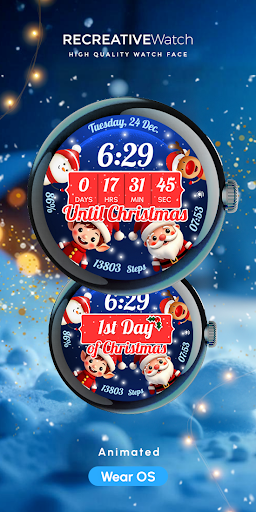
Wear OS Watch Face - Animated Snow Effect - Countdown & Customizable
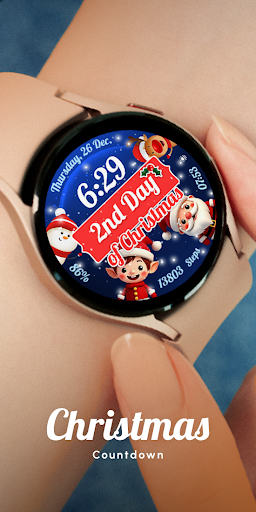
This watch face features a year-round countdown mode, showing the days remaining until Christmas. After Christmas, it seamlessly switches to a New Year countdown, keeping you in festive spirit all season long! 🎅🎆
Powered by Watch Face Format
⚙️ Watch Face Features
- 12/24hr Digital Time
- Date
- Battery
- Steps Count
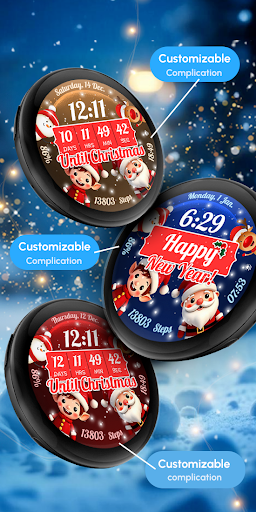
- 3 customizable complications
- Animated Snow
- Christmas Countdown
- NewYear Countdown
- Always ON Display
🎨 Customization
1 - Touch and hold display
2 - Tap on Customize option
🎨 Complications
Touch and hold display to open customization mode. You can customize the field with any data you want.
🔋 Battery
For better battery performance of the watch, we recommend disabling the "Always On Display" mode.
✅ Compatible devices include API level 33+ Google Pixel, Galaxy Watch 4, 5, 6, 7 and other Wear OS models.
Installation and troubleshooting
Follow this link: https://www.recreative-watch.com/help/#installation-methodes
Watch faces don't automatically apply on your watch screen after the installation. That's why you must set it on your watch's screen.
💌 Write to support@recreative-watch.com for assistance.