Pi SD Card Imager

Pi SD Card Imager Summary
Pi SD Card Imager is a mobile Android app in Tools by Mike Redrobe. Released in May 2016 (10 years ago). It has about 278.4K+ installs and 1.4K ratings with a 3.19★ (mixed) average. Based on AppGoblin estimates, it reaches roughly 34.4K monthly active users . Store metadata: updated Sep 4, 2023.
Recent activity: 269 installs this week (927 over 4 weeks) showing steady growth , and 1.00 new ratings this week View trends →
Store info: Last updated on Google Play on Sep 4, 2023 .
3.19★
Ratings: 1.4K
Screenshots

App Description
Prepare a new SD card for your Raspberry Pi - no PC required
Prepare bootable SD cards for your Raspberry Pi direct on your phone - no storage needed.
- No PC required !
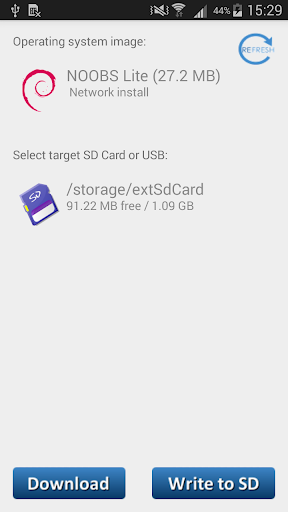
- Write Raspbian NOOBS / LibreELEC (KODI) / Ubuntu SD cards without root
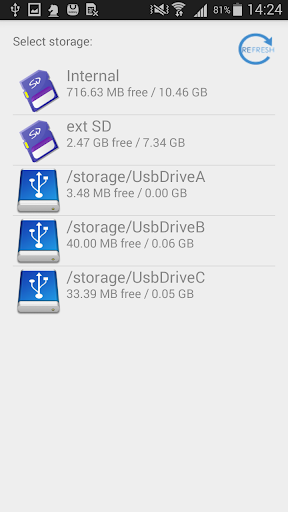
- Can use internal / external SD card or USB card reader
- Write while downloading - doesn't use up GBs of space of phone
- Safe - by default does not delete files on SD
- Read/backup SD card (this feature needs root)
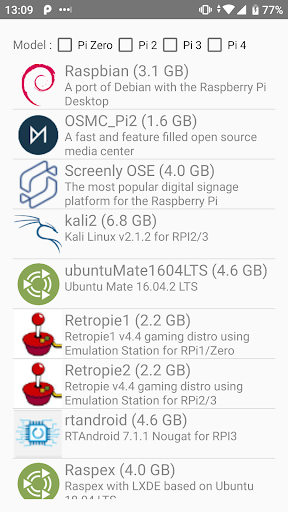
Can automatically download, and install OS to SD/USB
More details:
- Download OS images direct in the app
- Write Raspbian NOOBS / KODI SD cards without root
- Write SD Card direct from custom .img file or zipped .img (root)
- Backup SD card direct to a compressed zip file (root)
No root required for:
-Writing NOOBS based OS to SD Cards (NOOBS / NOOBS Lite / PINN / BerryBoot /LibreLEC KODI )
-Downloading OS files
Root required for:
- Backing up SD card to a zipped .img file
- Writing custom OS .img to SD Cards
Recommended to use an OTG USB cable and a USB card reader.
Twitter: @mikered