Apple tv Remote

Apple tv Remote Summary
Apple tv Remote is a ad-supported Android app in Libraries And Demo by kahlochSto. Released in Jun 2024 (1 year ago). It has about 17.5K+ installs and 728 ratings with a 4.18★ (good) average. Based on AppGoblin estimates, it reaches roughly 1K monthly active users and generates around $<10K monthly revenue (0% IAP / 100% ads). Store metadata: updated Aug 20, 2025, version 99.
Recent activity: 92 installs this week (325 over 4 weeks) showing below average growth , and -1 new ratings this week View trends →
Data tracking: SDKs and third-party integrations were last analyzed on May 20, 2026. The app's network data flows (API traffic to/from the app and its SDKs) were last crawled on Jan 9, 2026.
Store info: Last updated on Google Play on Aug 20, 2025 (version 99).
SDKs, Trackers & Permissions
Apple tv Remote was last scanned for SDKs 2026-05-20. Below is the overview of third party companies detected in the app. The full list of raw SDKs, app permissions and unknown SDKs is available here.
 JetBrains
 Google
 Kotlin
 Firebase
 AdMob
AdMobApp Details
App Store
Ads & App-Ads.txt
AppGoblin SDK Scans
4.18★
Ratings: 728
Screenshots


App Description
It's the solution for controlling Apple TV from your phone device
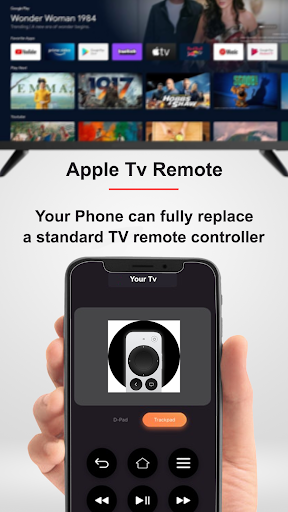
Apple TV Remote is a remote control app for your TV. It's the perfect solution for controlling your Apple TV from your phone device.
Download it now and enjoy the convenience of a wireless remote controller.
Features:
- Works with Android phones and tablets
- Touchpad for content navigation
- Adjust volume
- Play, pause, and control your favorite shows and movies
- No additional hardware needed.
- Automatic connection to a device
- Playback control
- Quick access to all apps
No configuration required:
Simply connect and control.
Easy to use:
We designed the app to be intuitive and so anyone can use it without the need for training. It's simpler than using a physical remote.
Adjust volume:
Apple Tv Remote is a complete and superior alternative to your physical remote. It can perform all the functions of your physical remote, including adjusting the TV volume.
Compatible Devices:
The following Apple TV models are supported by our app:
- Television (1st, 2nd and 3rd generation)
- HD TV (4th generation)
- 4K TV (1st, 2nd, 3rd and 5th generation)
- TV (4th generation ) generation), using tvOS 9.2.1 or later;
- TV (3rd generation), using Apple TV 7.2.1 software.
How to connect to TV:
1. Your TV must be connected to your home wifi network.
2. Your Android phone's WiFi must be turned on and connected to the same network as the TV.
3. Launch this app and tap to select the target device to connect. Once connected, you will be able to control your devices however you want.
Troubleshoot:
- This app can only connect if you are on the same wifi network as your TV.
- If not connected to the TV, reinstalling this app and restarting the TV can fix most bugs.
Disclaimer:
We are not associated with Apple and this app is not an official Apple product.