Remote Control - All Smart TV

Remote Control - All Smart TV Summary
Remote Control - All Smart TV is a free, ad-supported, with in-app purchases Android app in Tools by iKame Applications - Begamob Apps. Released in Dec 2022 (3 years ago). Store last updated Oct 16, 2024
Advertising: AppGoblin detected 1.00 monetized ad creatives shown inside the app.
SDK intelligence: AppGoblin detected 21 ad networks(e.g. Google), 13 development tools, 4 mediation, 2 business tools, 1 analytics: product,and 1 analytics: attribution integrated into Remote Control - All Smart TV. View full SDK list →
Remote Control - All Smart TV SDKs Summary
Remote Control - All Smart TV was last scanned for SDKs on 2026-08-24. Below is the overview of third-party companies detected in the app. The full list of SDKs, permissions and unknowns is available here.
Remote Control - All Smart TV has 21 Ad Networks SDKs
 Google
 Facebook
 AppLovin
 Unity
UnityRemote Control - All Smart TV has 13 Development Tools SDKs
 Amazon
 Square
Remote Control - All Smart TV has 4 Mediation SDKs
 Fyber
Fyber AdMob
AdMobRemote Control - All Smart TV has 1 Analytics: Product SDKs
 Firebase
Remote Control - All Smart TV has 1 Analytics: Attribution SDKs
 Adjust
Remote Control - All Smart TV has 2 Business Tools SDKs
 Line
Line0★
Ratings:
Screenshots
App Description
Remote Control TV is the perfect solution to replace old or broken TV remote
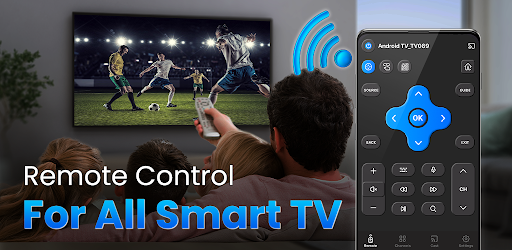
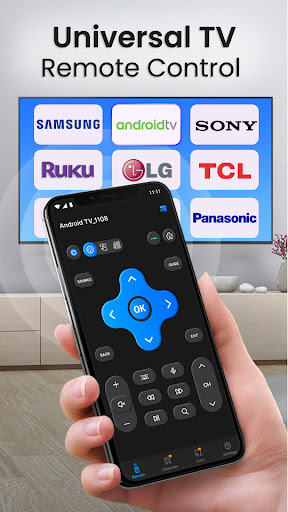
💎Remote Control - All Smart TV is an application that helps you control all major TV brands such as: Ruku, Samsung, LG, Sony, FireTV, TCL TV, Chromecast, Apple TV, Hisense,etc. You can control both Smart TVs (using Wi-Fi) and Non-Smart TVs (using IR Blaster).
💎Control your electric appliances with your phone using Remote Control - All Smart TV. Whenever you can’t find your remote or feel like pranking your friends, Remote Control - All Smart TV will be there to help. We also have all the information you need about your favorite TV shows, so you can switch the channel faster, or even watch the show on your mobile device. Remote Control - All Smart TV brings watching TV to a new level.
🤔 Why do you have to install this Remote Control - All Smart TV yourself if you have a remote control on your TV?
1️⃣ You don't need to look for a remote control for your TV because your smartphone is always near you. Your TV remote cannot be lost now.
2️⃣ Does your remote control run out of battery or have to change the batteries frequently
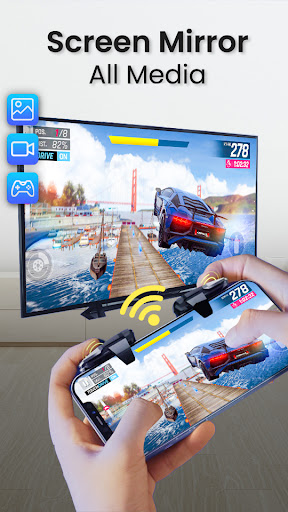
3️⃣ It has many similar functions and even more - Screen Mirroring, Smart Sharing, Screencast. All of that is Remote Control - All Smart TV
4️⃣ Cast Video, Youtube, Photo, Image Online to Smart TV, Chromecast
▶Main TV Brands Supported by Remote Control - All Smart TV:
📺 Smart TV remote for Samsung TV
📺 Control remote for Sony TV
📺 Smart TV remote for LG TV
📺 Smart TV remote for Ruku TV
📺 TV Remote for TCL TV
📺 Smart TV remote for Fire TV
📺 Control TV remote for Chromecast
📺 Control TV remote for Panasonic
📺 Control TV remote for Philips
📺 Smart TV remote for Android Box TV
📺 TV remote for Xiaomi TV
📺 Remote control for EcoStar TV
📺 TV remote for Toshiba
📺 Smart TV remote for IR Blaster TV and many more.
▶ More functions:
✅ Voice Search
✅ Power Control.
✅ Mute, Volume Control.
✅ Smart Sharing, Casting: View your Pictures and Videos, and listen to music on your TV.
✅ Mouse Navigation and Easy Keyboard.
✅ Input
✅ Home
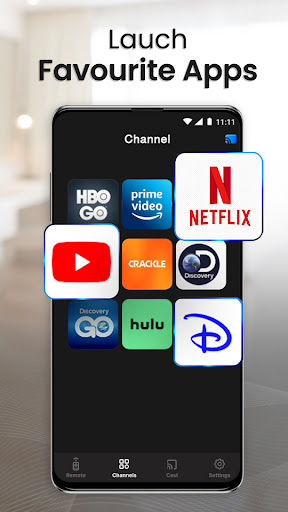
✅ Apps installed on your TV.
✅ Channel lists, Up, Down.
✅ Play, Stop, Reverse, Fast Forward.
✅ Up, Down, Left, Right Navigation.
✅ Volume Up Control,Volume Down Control.
✅ AV/TV
✅ Red / Green / Blue / Yellow (Multiple purpose soft keys)
Note: You can use it with Samsung, LG, Sony, FireTV, TCL Ruku, TCL TV, Chromecast, Apple TV, Hisense, and many other TV brands
⭐Watch your favorite Channel:
Just right before one of your favorite TV seasons or shows is about to start, OR your