Universal Smart Tv Remote App


Universal Smart Tv Remote App Summary
Universal Smart Tv Remote App is a ad-supported, with in-app purchases Android app in Tools by Colab Tools. Released in Feb 2025 (1 year ago). It has about 237.5K+ installs and 394 ratings with a 3.86★ (average) average. Based on AppGoblin estimates, it reaches roughly 39.7K monthly active users and generates around $<10K monthly revenue (27% IAP / 73% ads). Store metadata: updated Mar 31, 2026, version 8.
Recent activity: 1.7K installs this week (3.1K over 4 weeks) showing steady growth , and 6.00 new ratings this week View trends →
Data tracking: SDKs and third-party integrations were last analyzed on Sep 5, 2025. The app's network data flows (API traffic to/from the app and its SDKs) were last crawled on Sep 5, 2025.
Store info: Last updated on Google Play on Mar 31, 2026 (version 8).
SDKs, Trackers & Permissions
Universal Smart Tv Remote App was last scanned for SDKs 2025-09-05. Below is the overview of third party companies detected in the app. The full list of raw SDKs, app permissions and unknown SDKs is available here.
AppGoblin saw Universal Smart Tv Remote App uses 1 Analytics: Product
 Firebase
AppGoblin saw Universal Smart Tv Remote App uses 12 Development Tools
 Kotlin
 Divkit
 Square
 Airbnb Engineering
AppGoblin saw Universal Smart Tv Remote App uses 21 Ad Networks
 Yandex
 Facebook
 TapJoy
 Digital Turbine
AppGoblin saw Universal Smart Tv Remote App uses 3 Mediation
 AdMob
AdMob Unity
Unity AppLovin
AppGoblin saw Universal Smart Tv Remote App uses 3 Analytics: Attribution
 AppMetrica
 Adjust
 Yandex Metrica
AppGoblin saw Universal Smart Tv Remote App uses 1 Business Tools
App Details
App Store
Ads & App-Ads.txt
AppGoblin SDK Scans
3.86★
Ratings: 394
Screenshots


App Description
Control your Android Smart TV instead of using a physical remote control.
TV Remote Control for Smart TV is the ultimate app to turn your phone into a powerful Roku remote. No more searching for your physical Smart TV remote—this app brings all the functions you need to control your Smart TV right to your fingertips. Roku remote control has never been easier or more convenient, allowing you to open channels, control volume, and more in just a few taps.
Key Features of TV Remote Control for Smart TV
📺 Easy Setup
Simply connect your Smart TV and mobile device to the same Wi-Fi network, and the Roku remote app will automatically find and pair with your device. No setup is required, making this the best Roku remote control app for all your streaming needs.
📺 Full Remote Functionality
Control your Smart TV just like a real remote. Play, pause, fast forward, rewind, adjust the volume, and change channels effortlessly. This remote control for Smart TV is designed to be user-friendly, giving you access to every function directly from your phone.
📺 Swipe-Based Navigation
Enjoy smooth swipe-based gestures to navigate through your Roku interface easily. This feature allows you to use your Roku remote with intuitive controls that feel natural and simple.
📺 Screen Mirroring and Casting
Use the screen mirroring feature to display your phone’s screen on the Smart TV. You can also cast to TV from your gallery, making it easy to share photos and videos with friends and family. This app turns your Roku remote control into a tool for interactive and immersive viewing.
📺 Quick Access to Roku Channels
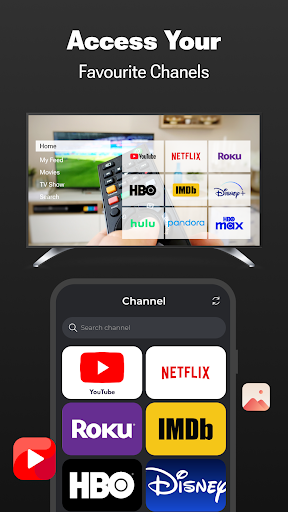
Open your favorite channels and apps in seconds with one tap. The TV remote app organizes your channels in a handy list with large icons, allowing you to access your content faster and easier.
📺 Keyboard for Easy Text Input
Typing on a TV remote can be difficult, but with the integrated keyboard in this Roku remote app, you can enter text quickly for searches or app login. This feature makes navigating apps on Smart TV a breeze.
📲 Why Choose TV Remote Control for Smart TV?
- This app is compatible with all Smart TV models, including TCL, Sharp, Insignia, and Hitachi, making it a versatile Roku remote app for any setup.
- Automatic connection to Smart TV with no setup needed.
- Screen mirror your phone for a larger viewing experience and cast to TV easily.
- Use the TV remote control app as a powerful and intuitive Roku control tool.
- Easily manage TV channels and switch between them smoothly with this remote for Roku.
- Write text on your Smart TV directly from your phone using the integrated keyboard, saving you time and hassle.
- TV Remote Control for Smart TV provides a complete remote control experience for your Smart TV, offering all the functions you need in a simple and easy-to-use app. Whether you’re watching movies, casting videos, or using screen mirroring, this app brings all the features you need to enhance your Smart TV experience.
How to Connect
- Ensure your Smart TV and phone are connected to the same Wi-Fi network.
- Launch the Roku remote app and select the target Smart TV from the list of devices.
- Start controlling your Smart TV instantly—no setup required.
This app is a solution for anyone looking to enhance their Roku remote functionality with additional features like screen mirroring, TV cast, and a built-in keyboard. Download TV Remote Control for Smart TV today and enjoy seamless control over your Smart TV.