Resume Builder - CV Maker

Resume Builder - CV Maker Summary
Resume Builder - CV Maker is a ad-supported Android app in Business by HD Camera & Message App. Released in Nov 2022 (3 years ago). It has about 22.4K+ installs Based on AppGoblin estimates, it reaches roughly 2K monthly active users and generates around $<10K monthly revenue (0% IAP / 100% ads). Store metadata: updated May 27, 2025.
Recent activity: 29 installs this week (127 over 4 weeks) showing steady growth View trends →
Store info: Last updated on Google Play on May 27, 2025 .
0★
Ratings: 0
Screenshots



App Description
Create Resume, CV in minutes with Professional Resume Builder & save as PDF/PNG.
Looking for the easiest way to build a professional resume or CV in minutes?
Resume Builder - CV Maker app is a smart and easy solution to create resume & CVs instantly right from your Android device.
By using Resume Maker app, create job-winning resumes with ready-to-use professional resume templates, easy-to-fill sections, and instant save as PDF!
After successfully create resume, it allows you to edit or preview your resume before downloading the perfect resume. Whether you’re a fresher, student, or an experienced professional, no design skills are required to create resume!
Key Features:
📄 Multiple Professional Templates: Choose from attractive, modern, and professional resume templates.
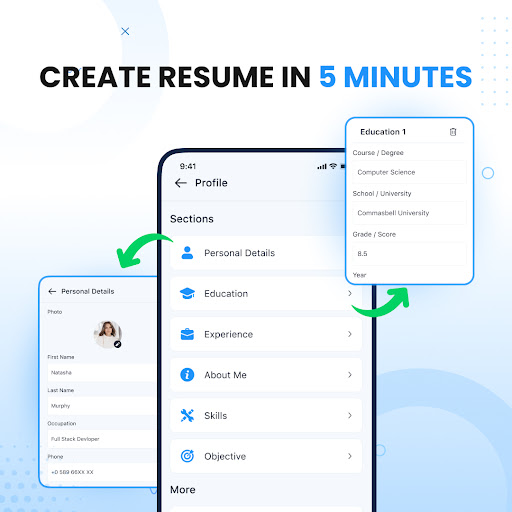
📝 Easy Resume Maker: Quickly fill in your resume details in CV templates - personal information, education, work experience, skills, certifications & more.
🔄 Edit anytime: Go to the "Saved Drafts" section to update, modify, or enhance your CV whenever you want.
📷 Add your photo: Some CV templates support profile photos - Just select a photo, crop it, and apply to your resume.
🎯 Ready-made career objectives: Don't know what to write? Choose from the professional career objectives in the CV templates provided in resume maker.
🎨 Change the design instantly: Not happy with the template? Just preview the template and change it - your information is saved to create a perfect resume!
📤 Instant sharing: Download your CV in PNG/PDF format and share with the recruiter via the social platform.
How to use the Resume maker app?
1. Tap on "Resume Builder" and choose from a variety of CV templates.
2. Enter your details - personal information, education, experience, skills and more.
3. Add more sections as needed in the CV maker.
4. Preview resume before download.
5. Save resume in PDF/PNG format.
Why choose our resume builder app?
✔ Create professional resume in minutes
✔ Various professional resume templates
✔ Anytime edit CV
✔ Multiple resumes for different jobs
✔ Add photos, preview, and customize your CV
✔ Save a perfect resume as PDF/PNG
✔ Share resume instantly with recruiters
✔ 100% secure app
Create a Perfect resume for job seekers, students, and professionals who want to impress recruiters and get hired fast!
Download Resume Builder, CV Maker app and create amazing, professional re