SketchSpace: Trace & Draw


SketchSpace: Trace & Draw Summary
SketchSpace: Trace & Draw is a free Android app in Art And Design by AppsForge. Released in Jun 2026 (3 months ago). It has about 58+ installs Based on AppGoblin estimates, it reaches roughly 12 monthly active users . Store last updated Jul 22, 2026
Recent activity: 5.00 installs this week (13 over 4 weeks) showing declining growth View trends →
SketchSpace: Trace & Draw SDKs Summary
App not yet scanned for SDKs.
0★
Ratings: 0
Screenshots



App Description
Trace sketches or your own photos onto paper using your phone camera.
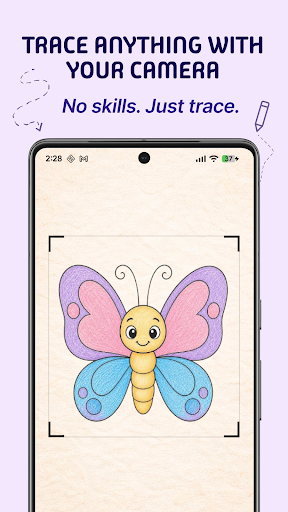
SketchSpace: Trace & Draw turns your phone into a simple camera-based drawing assistant. Choose a sketch or import your own photo, position it over paper, adjust the reference, and trace what you see.
Whether you're learning to draw, practicing proportions, creating portraits, or simply want an easier way to transfer an image onto paper, SketchSpace helps you get started.
🎨 TRACE PHOTOS ONTO PAPER
Choose any image from your phone and use it as a transparent reference over your drawing surface.
Trace:
• Portraits and selfies
• Pets
• Anime and characters
• Cars and objects
• Landscapes
• Illustrations
• Your own artwork
Adjust the image until it fits your paper, then follow the reference while drawing with a pencil, pen, marker, or brush.
📷 EASY CAMERA TRACING
SketchSpace displays your reference image over the live camera view so you can see both the image and your paper at the same time.
Position your phone above the paper using a stand, tripod, cup, or another stable support and start tracing.
Use simple controls to prepare your reference:
• Adjust transparency
• Resize the image
• Move and position the reference
• Rotate using gestures
• Zoom the camera
• Lock the image in place
• Turn on the flashlight
• Hide controls for a cleaner drawing view
🖼️ USE YOUR OWN PHOTOS
You're not limited to built-in sketches.
Import an image directly from your photo library and turn it into a tracing reference in seconds.
Want to draw your pet? A portrait? A favorite character? A building? A car?
Choose the image, position it on your paper, adjust the transparency, and start drawing.
✏️ BUILT-IN SKETCH LIBRARY
Not sure what to draw?
Browse a collection of ready-to-trace sketches organized into different categories.
Find simple drawings for practice or choose more detailed references as your skills improve.
Save the sketches you like and return to them whenever you want.
🏆 BUILD YOUR DRAWING SKILLS
Practice regularly and keep track of the drawings you complete.
Progress through five drawing levels:
• Novice
• Apprentice
• Artist
• Master
• Virtuoso
Your completed drawings are saved in your history, making it easy to revisit previous sketches or start them again.
⭐ FAVORITES & RECENT DRAWINGS
Save your favorite references for quick access.
Use the Recent section to find drawings you've already completed and return to sketches you want to practice again.
📴 DRAW OFFLINE
Built-in sketches are stored on your device, so you can browse and use them without an internet connection.
Take SketchSpace with you and practice drawing wherever you are.
🌍 AVAILABLE IN MULTIPLE LANGUAGES
SketchSpace supports:
English, Spanish, Portuguese (Brazil), Japanese, Korean, Russian, Ukrainian, Italian, French, German, Indonesian, Polish, and Hindi.
🔒 YOUR PRIVACY MATTERS
SketchSpace uses your camera only to display the live tracing view.
Your camera feed and physical drawings are not recorded or uploaded.
Images you choose from your device remain under your control.
💎 FREE TO USE
Enjoy SketchSpace without:
• Ads
• Subscriptions
• Premium paywalls
• Watermarks
No complicated setup. Choose an image, position your phone over the paper, adjust your reference, and start tracing.
Turn photos and sketches into drawings with SketchSpace: Trace & Draw.