WiFi Connection Manager


WiFi Connection Manager Summary
WiFi Connection Manager is a ad-supported, with in-app purchases Android app in Tools by roamingsoft. Released in May 2011 (15 years ago). It has about 11.3M+ installs and 56K ratings with a 3.72★ (average) average. Based on AppGoblin estimates, it reaches roughly 1.2M monthly active users and generates around $100K+ monthly revenue (25% IAP / 75% ads). Store metadata: updated Oct 31, 2025.
Recent activity: 1.2K installs this week (4K over 4 weeks) showing steady growth , and -66 new ratings this week View trends →
Store info: Last updated on Google Play on Oct 31, 2025 .
3.72★
Ratings: 56K
Screenshots
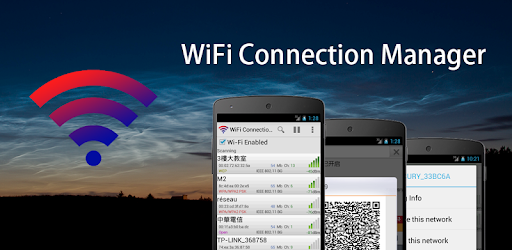
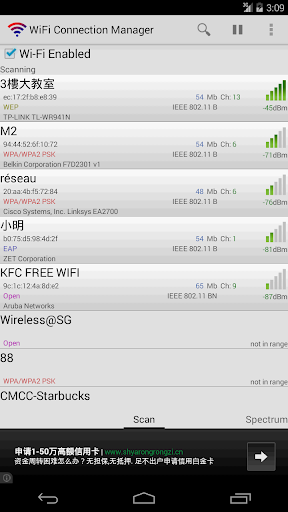
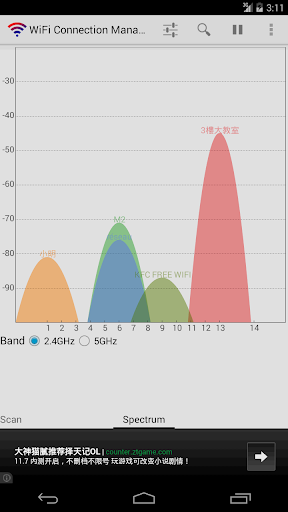

App Description
Professional Wi-Fi connection manager with useful network tools.
WiFi Connection Manager is a Wi-Fi scanner, manager and connector on android.
Help us with the translation project on http://crowdin.net/project/wifi-connection-manager
1. Support AP (Access Points) SSID with special characters, such as Chinese, Japanese, Korean, Greeks, Russian, Arabic, Portuguese, UNICODE and so on.
2. Fix device Wi-Fi problems.
3. Instant connect. Once searched, once start connecting. Way faster than the system build-in Wi-Fi scanner.
4. Static IP settings support. Auto switch between different AP.
5. Switch between available networks, solving the network conflict problem.
6. Add/Connect to certain hidden SSID network (depends on device and network conditions).
7. Manual add network, with special support for EAP/LEAP encrypted network.
8. Detailed network information, network bandwidth, channel and network type.
9. Auto detect Web Authentication.
10. Backup/Restore saved networks.
11. Add/Share Wi-Fi network with QR code.
12. Arrange network connecting priority.
13. WPS (Wi-Fi Protected Setup) support for Android 4.0 or above devices.
14. Automatical switch between saved networks when signal is not ideal.
15. Wi-Fi tether (Wi-Fi Hotspot) support.
About the required permissions:
Camera is for adding Wi-Fi network via QR code.
Phone and Internet is for the AdMob plug-in made by Google.
Storage is for backup and restore saved network.