Tebak Ruang Angkasa


Tebak Ruang Angkasa Summary
Tebak Ruang Angkasa is a ad-supported Android app in Puzzle by Rohmad Dev. Released in Oct 2023 (2 years ago). It has about 43+ installs Based on AppGoblin estimates, it reaches roughly 6.00 monthly active users and generates around $<10K monthly revenue (0% IAP / 100% ads). Store metadata: updated Oct 17, 2024.
Recent activity: 3.00 installs this week (9.00 over 4 weeks) showing strong growth View trends →
Store info: Last updated on Google Play on Oct 17, 2024 .
0★
Ratings: 0
Screenshots



App Description
Guess Space is an educational game to learn about astronomy
Guess Space is an educational game to get to know astronomy, because astronomy is also good to know so that our insight becomes broader.
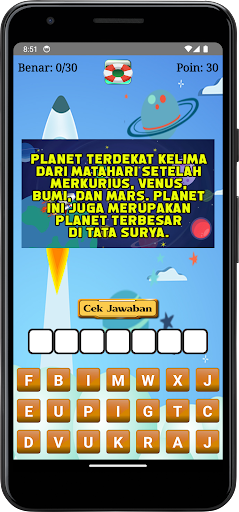
The Guess Space application is a game application that arranges scrambled words and is accompanied by text images that have been provided for the problem.
If you have difficulty answering this space guessing game, you don't need to worry because this space guessing game is also equipped with the help of a buoy icon at the top, the aim of which is for them to be able to answer it. If you press the wrong letter, don't worry because the way to delete it is to press the wrong letter, then the letter will automatically return to its origin.
Playing accompanied by learning is indeed the most fun way, especially when accompanied by a unique game interface, for this reason this game is made in such a way that they enjoy playing it. Learning while playing is an activity that needs to be done. We hope that this application can add insight to all of you.
How to play :
- Pay attention to the text questions and answer by pressing the scrambled letters
- To delete a wrong letter, just press the wrong letter again
- If you run out of points to answer difficult questions, you can add them to the float icon menu
- To check the results, you press the check answer button
Have a nice play.