Volume Control Panel Customize
ASO Keyword Dashboard
Tracking 80 keywords for Volume Control Panel Customize in Google Play

Volume Control Panel Customize tracks 80 keywords (1 keyword ranks; 79 need traction). Key metrics: 0% top-10 coverage, opportunity 70.5, difficulty 46.5, best rank 15.
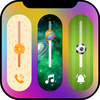
The volume panel on your phone may be completely customised using Volume Styles.
Tracked keywords
80
1 ranked • 79 not ranking yet
Top 10 coverage
0%
Best rank 15 • Latest leader —
Avg opportunity
70.5
Top keyword: volume
Avg difficulty
46.5
Lower scores indicate easier wins
Opportunity leaders
- 66.0
volume
Opportunity: 74.0 • Difficulty: 48.5 • Rank —
Competitors: 1,149
- 63.3
sport
Opportunity: 74.0 • Difficulty: 42.7 • Rank —
Competitors: 523
- 60.9
fruit
Opportunity: 74.0 • Difficulty: 40.3 • Rank —
Competitors: 445
- 61.1
window
Opportunity: 74.0 • Difficulty: 53.0 • Rank —
Competitors: 426
- 60.5
displaying
Opportunity: 74.0 • Difficulty: 37.8 • Rank —
Competitors: 202
Unranked opportunities
volume
Opportunity: 74.0 • Difficulty: 48.5 • Competitors: 1,149
sport
Opportunity: 74.0 • Difficulty: 42.7 • Competitors: 523
fruit
Opportunity: 74.0 • Difficulty: 40.3 • Competitors: 445
window
Opportunity: 74.0 • Difficulty: 53.0 • Competitors: 426
displaying
Opportunity: 74.0 • Difficulty: 37.8 • Competitors: 202
High competition keywords
time
Total apps: 383,308 • Major competitors: 17,750
Latest rank: — • Difficulty: 57.6
access
Total apps: 340,622 • Major competitors: 12,539
Latest rank: — • Difficulty: 58.5
using
Total apps: 221,317 • Major competitors: 12,105
Latest rank: — • Difficulty: 56.7
without
Total apps: 210,953 • Major competitors: 11,411
Latest rank: — • Difficulty: 56.2
choose
Total apps: 194,897 • Major competitors: 13,496
Latest rank: — • Difficulty: 55.3
All tracked keywords
Includes opportunity, difficulty, rankings and competitor benchmarks
| Major Competitors | |||||||
|---|---|---|---|---|---|---|---|
| control panel | 71 | 100 | 32 | 50 1,311 competing apps Median installs: 314 Avg rating: 3.8 | 15 | 15 | 51 major competitor apps |
| themes | 72 | 100 | 48 | 70 25,886 competing apps Median installs: 8,823 Avg rating: 4.3 | — | — | 2,130 major competitor apps |
| change | 68 | 100 | 52 | 79 90,829 competing apps Median installs: 4,814 Avg rating: 4.0 | — | — | 6,399 major competitor apps |
| right | 67 | 100 | 57 | 83 160,073 competing apps Median installs: 1,938 Avg rating: 4.0 | — | — | 8,858 major competitor apps |
| device | 68 | 100 | 60 | 80 108,544 competing apps Median installs: 3,347 Avg rating: 3.9 | — | — | 6,821 major competitor apps |
| phone | 67 | 100 | 60 | 83 152,927 competing apps Median installs: 3,552 Avg rating: 4.0 | — | — | 9,500 major competitor apps |
| collect | 69 | 100 | 53 | 78 78,115 competing apps Median installs: 3,891 Avg rating: 4.1 | — | — | 6,341 major competitor apps |
| transparent | 72 | 100 | 44 | 70 25,173 competing apps Median installs: 1,161 Avg rating: 4.0 | — | — | 611 major competitor apps |
| permission | 73 | 100 | 50 | 68 17,991 competing apps Median installs: 11,423 Avg rating: 4.0 | — | — | 1,861 major competitor apps |
| save | 67 | 100 | 58 | 83 157,906 competing apps Median installs: 3,443 Avg rating: 4.0 | — | — | 10,389 major competitor apps |
| control | 67 | 100 | 54 | 82 136,842 competing apps Median installs: 1,832 Avg rating: 3.8 | — | — | 7,550 major competitor apps |
| choose | 66 | 100 | 55 | 84 194,897 competing apps Median installs: 2,929 Avg rating: 4.0 | — | — | 13,496 major competitor apps |
| using | 66 | 100 | 57 | 85 221,317 competing apps Median installs: 2,899 Avg rating: 3.9 | — | — | 12,105 major competitor apps |
| service | 67 | 100 | 54 | 82 134,568 competing apps Median installs: 1,410 Avg rating: 3.9 | — | — | 5,772 major competitor apps |
| favourite | 72 | 100 | 47 | 69 21,075 competing apps Median installs: 3,960 Avg rating: 4.0 | — | — | 1,542 major competitor apps |
| option | 70 | 100 | 49 | 74 47,528 competing apps Median installs: 3,039 Avg rating: 4.1 | — | — | 2,533 major competitor apps |
| time | 64 | 100 | 58 | 89 383,308 competing apps Median installs: 1,497 Avg rating: 4.0 | — | — | 17,750 major competitor apps |
| delete | 72 | 100 | 56 | 69 21,084 competing apps Median installs: 4,519 Avg rating: 4.0 | — | — | 1,536 major competitor apps |
| volume | 74 | 100 | 49 | 66 13,923 competing apps Median installs: 6,445 Avg rating: 4.0 | — | — | 1,149 major competitor apps |
| access | 65 | 100 | 59 | 88 340,622 competing apps Median installs: 1,166 Avg rating: 4.0 | — | — | 12,539 major competitor apps |
| quickly | 68 | 100 | 57 | 81 115,982 competing apps Median installs: 1,463 Avg rating: 4.0 | — | — | 5,141 major competitor apps |
| view | 66 | 100 | 55 | 84 184,804 competing apps Median installs: 910 Avg rating: 3.9 | — | — | 6,222 major competitor apps |
| notification | 70 | 100 | 49 | 74 44,315 competing apps Median installs: 1,687 Avg rating: 4.1 | — | — | 2,082 major competitor apps |
| sport | 74 | 100 | 43 | 63 9,472 competing apps Median installs: 1,902 Avg rating: 3.9 | — | — | 523 major competitor apps |
| apply | 70 | 100 | 50 | 74 44,271 competing apps Median installs: 6,298 Avg rating: 4.1 | — | — | 3,275 major competitor apps |
App Description
The volume panel on your phone may be completely customised using Volume Styles.
-> You must have the service ON to get the Volume Control effect.
All Theme List
-> Change Theme list: You can choose any theme.
-> Theme categories are: General Theme, Fruit Theme, Space Theme, Sport Theme, Glitter Theme
-> Choose a theme and use it.
Volume Control Styles Settings
Vertical Position
-> See Volume Panel as the Vertical Position
Panel Time Out
-> After 10 seconds, the Volume Panel will automatically disappear, but you can adjust that time period as well.
Background Color Change Style
->The volume Control panel's background colour is modifiable.
Transparent Color Change
->You can customise the Volume Control Panel's Transparent colour.
Icon Color Change Style
->The volume Control Panel's icon colour and icon backdrop can both be modified.
Position
->You can position the volume control panel on the right or left.
Favourite Theme
->The volume control style can also be modified, and Favourite can be deleted. The theme is saved under Favourite theme.
Volume Frequency check
-> The graph demonstrates the volume the frequency is under, and you have the option to save or delete the graph region. You have also been able to examine the volume frequency.
-> The amplitude can also be checked and saved.
Notification Volume Control
-> By displaying the volume settings bar notification on your device, you may quickly access the volume control.
Notification Settings
Change Notification Background Color
->You can change the Notification Background Color by selecting a color from the color picker
Change Notification Icon Color
-> You can change the Notification Icon Color by selecting a color from the color picker
Required Permission:
SYSTEM_ALERT_WINDOW : to view custom volume panel over other apps
WRITE_SETTINGS: set device volume
Accessibility Service : Permission needed for apply custom styles and themes to volume control panel. Without permission we cannot apply it and app core feature not working.
Note: We strongly maintain user privacy. We do not collect any kind of data.
