RVS Recorder: Auto Record


RVS Recorder: Auto Record Summary
RVS Recorder: Auto Record is a mobile Android app in Productivity by RSUPPORT Co., Ltd.. Released in Mar 2025 (1 year ago). It has about 141+ installs Based on AppGoblin estimates, it reaches roughly 8.00 monthly active users . Store metadata: updated Nov 17, 2025.
Store info: Last updated on Google Play on Nov 17, 2025 .
0★
Ratings: 0
Screenshots

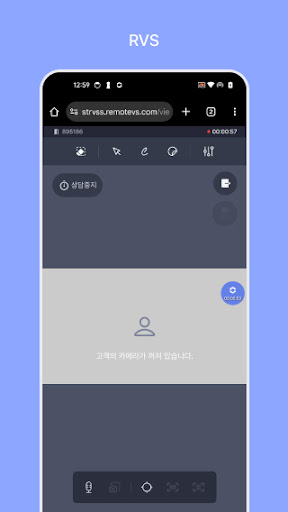
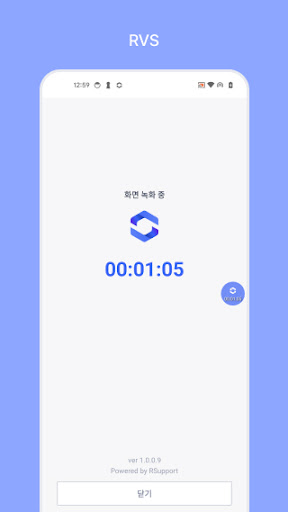
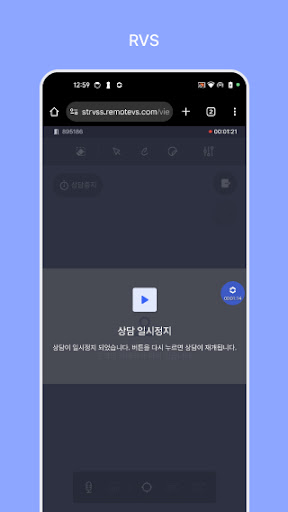
App Description
Record, save, and manage your sessions effortlessly with this all-in-one app!
Automatically record and manage your remote sessions securely!
RVS Recorder automatically captures screens during remote sessions, freeing you from manual note-taking so you can stay engaged in the converstaion. Recording starts the moment a session begins, and all files are securely stored on a protected server.
With RVS Recorder, every session detail is seamlessly recorded, ensuring efficient customer service and faster issue resolution.
Key Features
- Automatic recording & management: Click "Start," and your session is recorded instantly.
- Real-time status updates: Track recording progress via the status bar and notifications.
- Automatic termination & secure storage: Recording stops when the session ends, with files securely stored and accessible via Admin portal.
- Advanced security: Files are safely stored on a protected server, preventing local storage or duplicate recordings.
- Wide device compatibility: Works seamlessly across various devices, including smartphones and tablets.
Important Notes
App functionality may vary depending on the user environment. Please review the following conditions:
1) Limited app launch
- RVS Recorder does not run independently; it launches automatically from the session page.
- Accessing the app via an incorrect link will show an error message.
2) Paused recording
- If the session is paused, recording will pause automatically.
3) Automatic recording restart
- If the app is forcibly closed due to server connectivity issues.
- If new information is entered via page refresh or deep link.
*Existing and new recordings are saved separately.
4) Forced recording termination
- If another app initiates screen recording, RVS Recorder stops recording while the session is in progress.
*Users cannot manually stop recording.
*Clicking "Close" within the app redirects users to the previous screen instead of stopping the recording.
Customer Support & Access Permissions:
- General inquiries
For app-related support, visit the official RemoteVS website.
- Access permissions
RVS Recorder requires the following permissions for seamless recording.
- Notifications: Display recording status and user alerts.
- Reminders: Manage session and recording schedules.
- Display Over Other Apps: Ensure visible tracking of recording status.