S Secure


S Secure Summary
S Secure is a mobile Android app in Tools by Samsung R&D Institute India Noida. It has about 97M+ installs and 18.9K ratings with a 3.51★ (average) average. Based on AppGoblin estimates, it reaches roughly 2.3M monthly active users . Store metadata: updated Dec 26, 2019.
Recent activity: 38.7K installs this week (173.2K over 4 weeks) showing steady growth , and 8.00 new ratings this week View trends →
Data tracking: SDKs and third-party integrations were last analyzed on Aug 20, 2025. The app's network data flows (API traffic to/from the app and its SDKs) were last crawled on Aug 20, 2025.
Store info: Last updated on Google Play on Dec 26, 2019 .
SDKs, Trackers & Permissions
S Secure was last scanned for SDKs 2025-08-20. Below is the overview of third party companies detected in the app. The full list of raw SDKs, app permissions and unknown SDKs is available here.
AppGoblin saw S Secure uses 1 Development Tools
 Google
AppGoblin saw S Secure uses 1 Ad Networks
AppGoblin saw S Secure uses 2 Analytics: Product
 Google Analytics
 Firebase
App Details
App Store
Ads & App-Ads.txt
AppGoblin SDK Scans
3.51★
Ratings: 18.9K
Screenshots

App Description
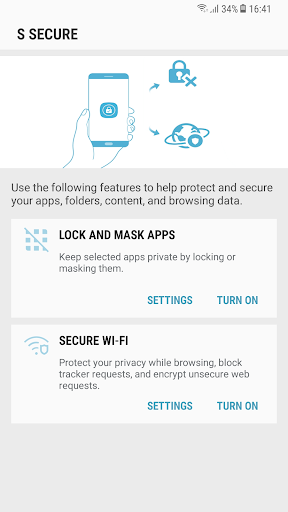
Protect and secure your apps, folders, content, and browsing data.
Protect and secure
your apps, folders, content, and browsing data using below features.
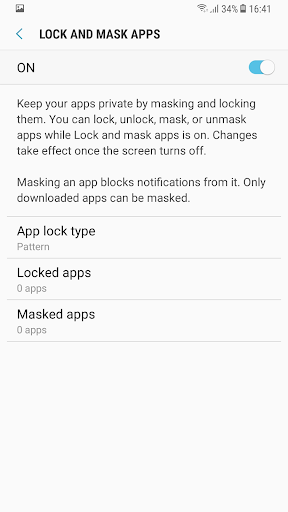
1. Lock and Mask apps:
Keep selected apps and its data private by locking or masking them.
Locking and masking can be done via a pattern, PIN, password, or your fingerprints.
Apps will be locked once the screen turns off. Once apps are unlocked, they will remain unlocked until the screen turns off.
Masking an app will block notifications from it and mask it on your phone. Only downloaded apps can be masked .
2. Secure Wi-Fi
Protect your privacy while browsing by masking domains and apps from the Wi-Fi provider.
Block tracker requests using the Easy privacy list.
Encrypt unsecured web requests Keep your IP address private from most websites and apps.
Disclaimer:
The default duration of Secure Wi-Fi sessions is 6 hours. Opera Max can be used to extend the session duration every 6 hours, up to 48 hours in total.
Turn on Secure Wi-Fi to set up a VPN connection and monitor your network traffic.
Some websites and content might not be available while this function is on, depending on the service provider or mobile network conditions.
Some websites may not be able to locate or track your IP address.