Daily Board


Daily Board Summary
Daily Board is a mobile Android app in Lifestyle by Samsung Electronics Co., Ltd.. Released in Aug 2018 (7 years ago). It has about 196M+ installs and 34.2K ratings with a 4.60★ (excellent) average. Based on AppGoblin estimates, it reaches roughly 20.8M monthly active users . Store metadata: updated May 18, 2026.
Recent activity: 994.4K installs this week (3.2M over 4 weeks) showing below average growth , and 135 new ratings this week View trends →
Store info: Last updated on Google Play on May 18, 2026 .
4.6★
Ratings: 34.2K
Screenshots


App Description
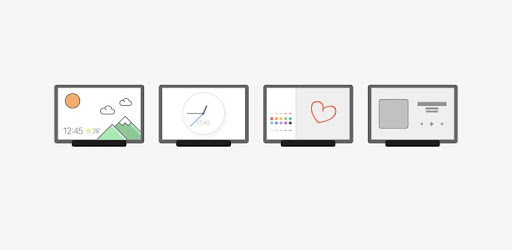
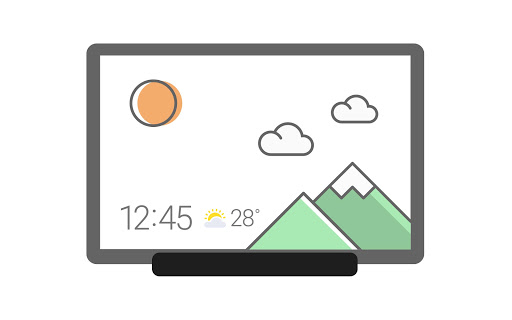
Always displays the time, weather, calendar, and a variety of images.
When charging the tablet, Daily Board gives you access to information that you will find useful in your daily life, as well as photos at all times.
A night theme is also available to help you prevent night glare.
▷ Time, Weather, Calendar
• We tried to make them recognizable even from a distance and highlight their refined beauty.
• Set and use the layout in your desired shape.
▷ Photo Slide Show
• You can always view albums created in Samsung Gallery on the Daily Board.
• You can view photos shared by your friends and family by integrating Samsung Experience Service.
• Add images such as your favorite painting, and use it as your very own decorative piece.
▷ Memo Board
• You can post a to-do list, memos for your family, drawings your child made on the Daily Board, and family members can easily check them at all times.
• Live memo mode presents your memos with an animated view.
(You can switch modes at the bottom-right section of the Memo Board screen.)
▷ Music Controller
• Control music from the Daily Board. (Play/Pause/Skip)
▷ SmartThings
• SmartThings board was added to Daily Board.
• You can check at a glance the status of the devices registered with SmartThings and control them easily and conveniently.
※
- When connecting to the USB charger, you can tap a quick launch icon for Daily Board displayed on the navigation bar to launch it.
(Available only when the navigation bar style is set to “Navigation buttons.”. )
- The Daily Board app requires permission for notifications.
It can be set in the path below.
• Settings > Apps > Daily Board > Permissions