Analog Clock Widget
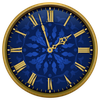

Analog Clock Widget Summary
Analog Clock Widget is a mobile Android app in Personalization by sandraprog. Released in Apr 2015 (11 years ago). It has about 684K+ installs and 5.9K ratings with a 4.17★ (good) average. Based on AppGoblin estimates, it reaches roughly 404 monthly active users . Store metadata: updated Apr 6, 2015.
Recent activity: 8.00 installs this week (38 over 4 weeks) showing steady growth View trends →
Store info: Last updated on Google Play on Apr 6, 2015 .
4.17★
Ratings: 5.9K
Screenshots


App Description
Beautiful analog clock widget for your home screen
Enjoy personalization of your home screen with this simple, beautiful and useful analog clock widget. Tap on the widget to choose one of five clock designs.
• Simple, beautiful and useful application;
• Widget in 2x2 and 3x3 sizes;
• Five clockface designs in different colors;
• App is free and no-ads.
NOTE: This app is a widget. After installation you should put it on your home screen from the widget list:
- For Android 4.x - Open applications, widgets tab, look for "Analog Clocks Widget" and drag it to your home screen;
- For Android under 4.0 - Keep pressing the home screen till an additional menu of widgets appears. Pick out "Analog Clocks Widget" from a list of widgets.
- In some cases widgets will not be added to the widget list - this is a common problem of Android 4.0.x. In this case please reboot your device.