OCR Scanner: Image to Text


OCR Scanner: Image to Text Summary
OCR Scanner: Image to Text is a ad-supported, with in-app purchases Android app in Tools by MEDIADECODE. Released in Sep 2023 (2 years ago). It has about 386.2K+ installs and 4K ratings with a 4.04★ (good) average. Based on AppGoblin estimates, it reaches roughly 36.1K monthly active users and generates around $<10K monthly revenue (82% IAP / 18% ads). Store metadata: updated Apr 9, 2025, version 45.
Recent activity: 17.1K installs this week (33.5K over 4 weeks) showing exceptional growth , and 60 new ratings this week View trends →
Data tracking: SDKs and third-party integrations were last analyzed on Mar 9, 2026. The app's network data flows (API traffic to/from the app and its SDKs) were last crawled on Mar 13, 2026.
Store info: Last updated on Google Play on Apr 9, 2025 (version 45).
OCR Scanner: Image to Text was last scanned for SDKs 2026-03-09. Below is the overview of third party companies detected in the app. The full list of raw SDKs, app permissions and unknown SDKs is available here.
 AdMob
AdMob Google
 Unity
Unity Firebase
 Airbnb Engineering
 Square
 Kotlin
4.04★
Ratings: 4K
Screenshots


App Description
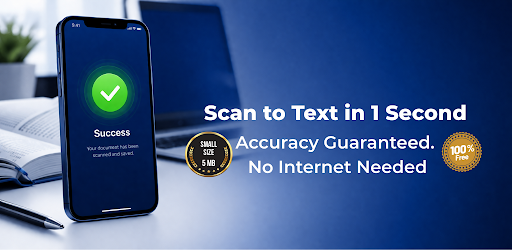
Fast 5MB OCR Scanner. Extract text from photos & handwriting.
Stop Typing Manually – Turn Images into Text in Seconds! 🚀
Whether you are a student digitizing handwritten notes, a professional capturing receipts, or a researcher extracting data from books, our Smart OCR Scanner is your ultimate productivity tool. No more manual data entry. Just point, scan, and convert!
Stop typing and start scanning! Whether it’s a handwritten note, a printed document, or a barcode, our Smart AI OCR Scanner extracts, translates, and organizes your information in seconds.
Why Choose Our Text Scanner?
Our app uses advanced Machine Learning (ML Kit) to provide the highest accuracy on the market, even in low-light conditions or with complex fonts.
Key Features You willl Love:
Precision OCR: Extract text from photos, screenshots, or documents with 99%+ accuracy.
Handwriting Recognition: Turn your handwritten scribbles into editable digital files.
Instant Translation: Scan a menu, sign, or book and translate the text into 100+ languages immediately.
QR & Barcode Scanner: No need for a separate app! Quickly scan any QR code or barcode for instant info or web links.
Batch Scanning: Scan multiple pages at once, perfect for digitizing entire books or long reports.
Scan History & Search: Never lose a document again. All your scans are saved in a secure history for quick access later.
Add Personal Notes: Organize your thoughts by adding custom notes and labels to your scanned documents.
Multi-Language Support: Supports multiple languages including English, Spanish, French, Hindi, Chinese, and more.
Instant Export: Copy to clipboard or share directly to WhatsApp, Email, Google Drive, or Slack.
Privacy First: All processing happens on your device. Your data stays yours.
How to Use It:
Capture: Take a photo or select an image from your gallery.
Scan: Let the app work its magic to identify and extract the text.
Edit & Share: Fix any typos, copy the text, or save it as a PDF/Txt file.
Perfect For:
Students: Converting textbook pages and whiteboard notes into study guides.
Business Owners: Digitizing invoices, receipts, and business cards for accounting.
Travelers: Translating menus, signs, and brochures on the go.
Developers: Quickly grabbing code snippets from tutorials or videos.
Join thousands of users who have reclaimed their time! Download the Smart Image to Text Scanner today and turn your phone into a powerful productivity hub.