Calendar Planner - Schedule


Calendar Planner - Schedule Summary
Calendar Planner - Schedule is a free, ad-supported, with in-app purchases Android app in Tools by Protector & Security for Mobile Ltd. Released in Jun 2019 (7 years ago). It has about 429K+ installs and 2.1K ratings with a 3.89★ (average) average. Based on AppGoblin estimates, it reaches roughly 3K monthly active users and generates around $<10K monthly revenue (42% IAP / 58% ads). Store last updated Aug 27, 2026
Recent activity: 16 installs this week (105 over 4 weeks) showing steady growth , and 1.00 new ratings this week View trends →
Calendar Planner - Schedule SDKs Summary
App not yet scanned for SDKs.
3.89★
Ratings: 2.1K
Screenshots



App Description
Organize your schedule, tasks & reminders in one planner.
Stay organized and never miss a day with Calendar Planner — the smart daily scheduler and agenda app for Android.
★ MULTIPLE CALENDAR VIEWS
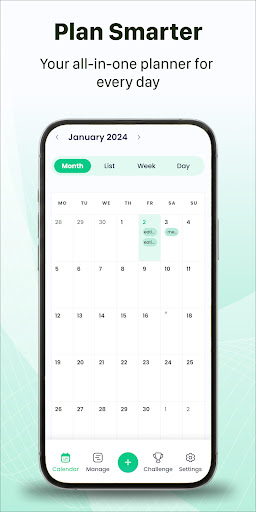
Switch between Day, Week, Month, Year, and Agenda views to see your schedule exactly how you want. Plan your day or your entire year at a glance.
★ TASKS & REMINDERS
Create tasks with due dates and set custom reminders so you never miss a deadline. Smart notifications keep you on track.
★ BIRTHDAY TRACKER
Add birthdays and anniversaries with automatic yearly reminders. Never forget an important date again.
★ HOME SCREEN WIDGET
Add the calendar widget to your home screen for quick access to today's schedule without opening the app.
★ MULTIPLE TIME ZONES
Schedule events across time zones — perfect for remote work, international travel, and global teams.
★ ORGANIZE BY CATEGORIES
Color-code events and tasks by category — work, personal, health, family — for a clear visual overview.
Whether you're managing a busy work schedule, planning family events, or tracking personal goals, Calendar Planner keeps everything organized in one place. Simple, intuitive, and powerful.