Screen Mirroring for Miracast

Screen Mirroring for Miracast Summary
Screen Mirroring for Miracast is a ad-supported, with in-app purchases Android app in Video Players by QR Code Expert - Barcode Master. Released in Nov 2022 (3 years ago). It has about 1.9M+ installs and 923 ratings with a 3.93★ (average) average. Based on AppGoblin estimates, it reaches roughly 141.3K monthly active users and generates around $<10K monthly revenue (59% IAP / 41% ads). Store metadata: updated Mar 14, 2026, version 65.
Recent activity: 15.5K installs this week (15.7K over 4 weeks) showing exceptional growth , and 5.00 new ratings this week View trends →
Advertising: AppGoblin detected 1.00 monetized ad creatives shown inside the app.
Data tracking: SDKs and third-party integrations were last analyzed on Nov 28, 2025. The app's network data flows (API traffic to/from the app and its SDKs) were last crawled on Aug 18, 2025.
Store info: Last updated on Google Play on Mar 14, 2026 (version 65).
Screen Mirroring for Miracast was last scanned for SDKs 2025-11-28. Below is the overview of third party companies detected in the app. The full list of raw SDKs, app permissions and unknown SDKs is available here.
 Airbnb Engineering
 Square
 Amazon Advertisement
 Bumptech
 UXCam
UXCam AppLovin
 Google
 Facebook
 InMobi
 Firebase
 AdMob
AdMob3.93★
Ratings: 923
Screenshots



App Description
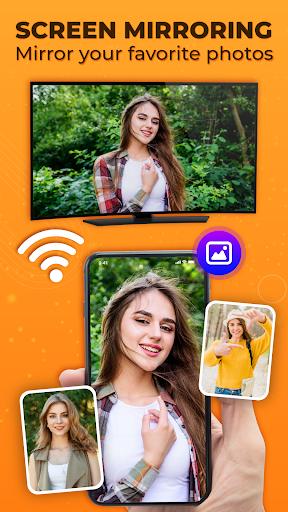
Miracast screen mirroring: Enjoy smart view on your Smart TV with mirror app.
𝐒𝐜𝐫𝐞𝐞𝐧 𝐌𝐢𝐫𝐫𝐨𝐫𝐢𝐧𝐠 𝐟𝐨𝐫 𝐌𝐢𝐫𝐚𝐜𝐚𝐬𝐭 is a quick & reliable Cast to TV app that helps you cast your phone screen & enjoy real-time mirroring on your Smart TV devices that support Miracast like Samsung Smart View, anycast, Chromecast, Roku etc.
𝐒𝐜𝐫𝐞𝐞𝐧 𝐌𝐢𝐫𝐫𝐨𝐫𝐢𝐧𝐠 𝐟𝐨𝐫 𝐌𝐢𝐫𝐚𝐜𝐚𝐬𝐭 gives you an amazing screen share & mirroring experience from your small phone screen to big Smart TV. This screen share - mirroring app helps you to cast to TV, your media content such as photos, videos and audio files on Miracast-enabled TVs such as Samsung Smart View and other supported brands. This is the free cast to TV and screen mirroring app to enjoy your favorite games on your Smart TV. This mirroring app allows mirror of your favorite web series, movies, and TV shows from your phone screen to a bigger Smart TV screen.
📱 How to use Cast to TV & screen mirroring app:
● Make sure your phone and TV are connected to the same Wi-Fi network.
● The "Miracast Display" feature must be enabled on your Samsung Smart View or other Miracast-enabled TV.
● Enable "Wireless Display" from phone settings.
● Select your Smart View TV device from the available devices.
● Connect and enjoy your media content with the Cast to TV & Screen Mirroring app.
𝐃𝐢𝐬𝐜𝐥𝐚𝐢𝐦𝐞𝐫:
This app works only with Miracast-enabled devices. Compatibility may vary depending on your phone and TV model. Some devices may not support screen mirroring due to hardware or manufacturer limitations.
This app is an independent third-party tool. It is not affiliated with, endorsed, or sponsored by Samsung, Google (Chromecast), Roku, LG, or any other brand mentioned. All trademarks and brand names belong to their respective owners.