Screen Mirroring- Cast to TV


Screen Mirroring- Cast to TV Summary
Screen Mirroring- Cast to TV is a ad-supported, with in-app purchases Android app in Entertainment by Key Stone. Released in Feb 2022 (4 years ago). It has about 92.1K+ installs and 141 ratings with a 3.57★ (average) average. Based on AppGoblin estimates, it reaches roughly 2.2K monthly active users and generates around $<10K monthly revenue (31% IAP / 69% ads). Store metadata: updated Jan 5, 2023.
Recent activity: 259 installs this week (287 over 4 weeks) showing exceptional growth View trends →
Store info: Last updated on Google Play on Jan 5, 2023 .
3.57★
Ratings: 141
Screenshots



App Description
Screen mirroring or Miracast with screen casting & Screen Mirroring! Cast to TV
Screen mirror is a technology that allows you to screencast with the TV screen. HD video screencast mirroring gives you easy access to all of your documents, photos, videos, and other mobile apps on a large screen using this screen sharing and Miracast app. Screen mirroring apps can be used as a screen projector, making screen sharing very easy. If your device has a built-in Chromecast then you can easily use this screen-sharing Miracast technology. Connect your small cell phone screen with a big TV screen using this most advanced TV cast for a fire tv app.
Mirroring your phone screen to your TV can be useful when you show your photos, videos, and games with this screen mirror app. It's very easy to connect and TV cast Roku using this screen mirroring for all tv. Screen casting projector app will integrate mobile screens with Tv and LED without any lag and buffering so you can enjoy movies, music, and videos using this one of the best tv casts for Chromecast applications. This screen projector & cast to TV app provides a safe and secure connection between your phone and television.
How to use screen mirroring projector app:
Connect your phone and TV to the same internet connection
Search and pair your device
Enable Miracast display for screen sharing
Select your TV brand and instantly connect with the TV.
By following this procedure, you are able to watch mobile videos on TV. Screen mirror and cast to Tv and show your ideas with your team workers and save your eyes with screen mirroring. This app lets you watch your favorite TV shows, news, and live streaming on the big screen. Enjoy all your favorite mobile games on your TV screen by using Miracast technology and screen sharing.
Features of Screen Mirroring- Cast to TV:
Share the smartphone screen with a large TV screen
Simple smooth and easily understandable GUI
Easy and fast connection with a single Tap
Screen share in real-time speed
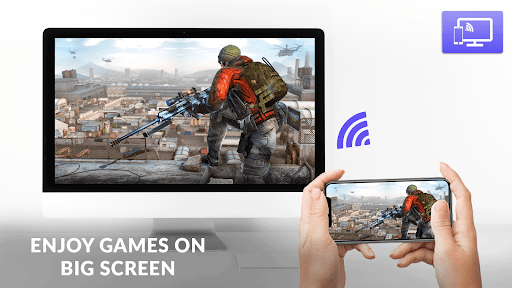
Cast the mobile games to your big-screen TV
Easily change density and resolution with a mirroring projector
Cast to TV and watch videos by screen sharing
Show your presentation and watch all mobile videos with your friend & family
It supports almost all media files including video, photos, movies, audio, E-books, PDFs, etc.
Complete free HD video screen mirroring app for TV.