Samsung Print Service Plugin


Samsung Print Service Plugin Summary
Samsung Print Service Plugin is a mobile Android app in Productivity by HP Inc.. Released in Nov 2013 (12 years ago). It has about 1.8B+ installs and 468.4K ratings with a 3.95★ (average) average. Based on AppGoblin estimates, it reaches roughly 186.6M monthly active users . Store metadata: updated May 6, 2026, version 3980.
Recent activity: 351.4K installs this week (1.2M over 4 weeks) showing steady growth , and -303 new ratings this week View trends →
Data tracking: SDKs and third-party integrations were last analyzed on May 22, 2026.
Store info: Last updated on Google Play on May 6, 2026 (version 3980).
SDKs, Trackers & Permissions
Samsung Print Service Plugin was last scanned for SDKs 2026-05-22. Below is the overview of third party companies detected in the app. The full list of raw SDKs, app permissions and unknown SDKs is available here.
 Square
 Google
 Kotlin
 Google Analytics
 Firebase
App Details
App Store
Ads & App-Ads.txt
AppGoblin SDK Scans
3.95★
Ratings: 468.4K
Screenshots


App Description
Print from your favorite apps to any printer brand.
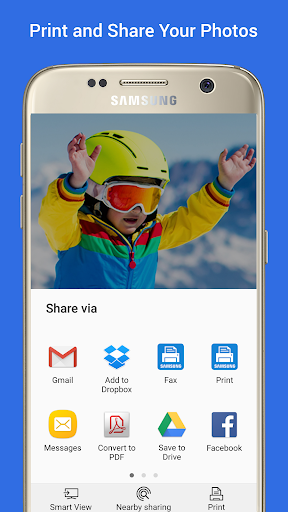
Easily print photos, web pages and documents without downloading any additional apps or printing tools.
Allows you to share your life’s printable moments and stay productive at home, at work or while on the go.
The Samsung Print Service is a system tool that enables wireless printing to Samsung printers and many other printer brands by integrating Mopria technology. Nearly all new printers sold today by Brother, Canon, Dell, Epson, Fuji Xerox, HP, Konica Minolta, Kyocera, Lexmark, Pantum, Ricoh, Samsung, Sharp, Toshiba and Xerox are Mopria-certified to make it easy to print your photos, web pages, documents, coupons, recipes and files from your favorite apps. You can even control print settings including color, number of copies, paper orientation and double-sided printing.
If you own a Samsung Galaxy phone, this system tool is already pre-installed. For any Android phone or tablet running KitKat (4.4) or higher, installing this plug-in will enable easy mobile printing from your device.
PHONE AND TABLET COMPATIBILITY
Samsung Galaxy Phones/Tablets – The Samsung Print Service plug-in is pre-installed on S4, S5, S6, S7 and many other Samsung phones & tablets. This plug-in cannot be uninstalled or moved to a SD card. When plug-in updates are available your device will notify you. Please adjust your settings to automatically update this plug‐in, or accept updates manually. For any other Galaxy phone or tablet where this Plug-in is not pre-installed, it can be downloaded and installed as long as the Samsung device is running Android KitKat (4.4) or later.
Other Android Phones/Tablets – The Samsung Print Service will work with any device with Android KitKat (4.4) or later. KitKat was the first version of Android that included the “Android Print Framework” which allows an Android App to access a built-in printing system. When updates are available for the Samsung Print Service, your device will notify you.
APPS SUPPORTING PRINT
Check to see if your Android App supports printing by looking for a print icon, checking the App’s menu option (three dots, three lines or “More” menu) or using the “Share” function.
Some everyday apps that support printing include Gallery, Photos, Chrome, Gmail, Box, Dropbox, Google Drive, Adobe Reader, Microsoft Excel, Word and PowerPoint.
Many more apps have enabled print or allow you to share to