Increase Font Size Widget


Increase Font Size Widget Summary
Increase Font Size Widget is a mobile Android app in Tools by Puri Technologies Ltd.. Released in Aug 2016 (9 years ago). It has about 3.7K+ installs and 28 ratings with a 3.29★ (mixed) average. Based on AppGoblin estimates, it reaches roughly 184 monthly active users . Store metadata: updated Aug 27, 2016.
Recent activity: 5.00 installs this week (110 over 4 weeks) showing steady growth View trends →
Store info: Last updated on Google Play on Aug 27, 2016 .
3.29★
Ratings: 28
Screenshots

App Description
A simple widget to increase or change the system font size from the home screen.
tl;dr
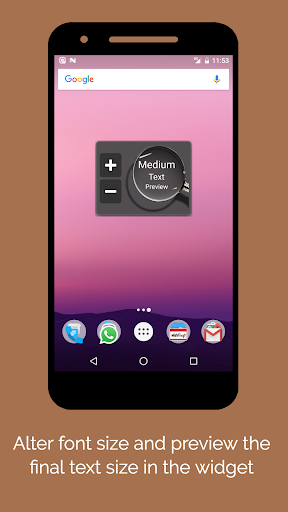
This widget which looks like "Volume Button" of a T.V remote, enables users to increase font size beyond what is allowed by the Android system settings. Android allows to scale the font up to maximum 1.3 times the default. This enables you to go even bigger.
Thanks for trying out the widget. It is still in Beta phase, so any sort of feedback is more than welcome. Please feel free to email to seniortechneeds@gmail.com.
Longer Version
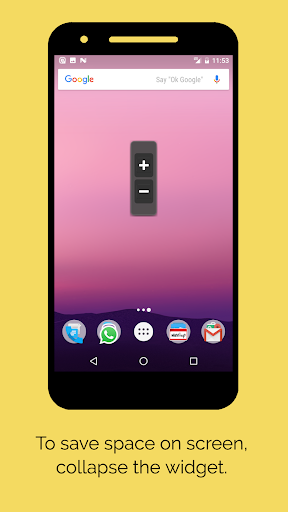
• The widget is resizable and doesn't take much space on the screen.
• It shows the preview of the target font size right there without opening the app.
• One of the aim of widget is to help seniors or others who have troubles dealing with complicated apps and technology. It would be useful for some parents/grandparents who have hard time remembering and navigating through device settings to change font size etc. They can now do it right from their screen without the widget taking much space.
• Note 1: This might not affect the font size of the text on websites opened in Chrome or other browsers. The font scale on the websites is controlled by the browser itself. For Chrome, it can be changed by going to "Menu Options (on top right)" -> "Settings" -> "Accessibility".
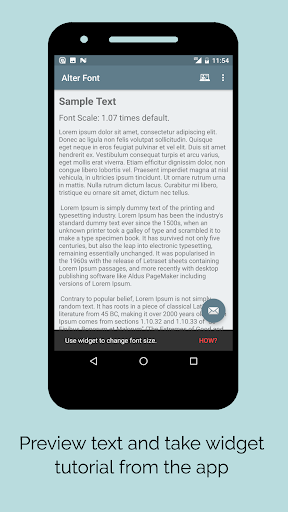
• Note 2: For devices running Android Nougat and above, the system wide font size changes will be reflected immediately. However unfortunately on devices running older versions of Android, due to Android operating system restrictions, it might need a restart for the changed to take affect. The widget and app will still preview the new text sizes to which the text will be changed after the restart and after you are satisfied with the preview size, just restart to confirm.