AC Universal Remote Control

AC Universal Remote Control Summary
AC Universal Remote Control is a ad-supported, with in-app purchases Android app in Tools by SensusTech LLC. Released in Oct 2020 (5 years ago). It has about 7.8M+ installs and 13.7K ratings with a 3.54★ (average) average. Based on AppGoblin estimates, it reaches roughly 85.3K monthly active users and generates around $10K+ monthly revenue (107% IAP / -7% ads). Store metadata: updated Aug 20, 2025.
Recent activity: 26.6K installs this week (113.5K over 4 weeks) showing steady growth , and 43 new ratings this week View trends →
Data tracking: SDKs and third-party integrations were last analyzed on Feb 19, 2025.
Store info: Last updated on Google Play on Aug 20, 2025 .
3.54★
Ratings: 13.7K
Screenshots
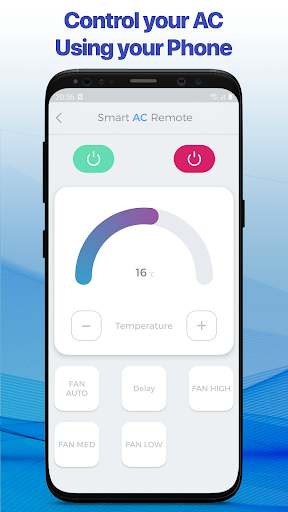
App Description
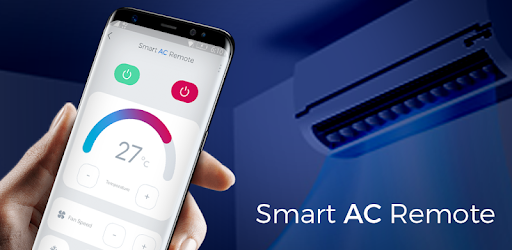
Universal AC Remote Control with support of the most major AC Brands.
Agree how it is cool if you can control almost all the equipment in the house with the help of one of your smartphones or tablets! Remote control of a TV, a robotic vacuum cleaner or other smart appliances is no longer a surprise, but what about universal remote control of an air conditioner (AC)? Try our application and we will change the way you think about this technique!
Download our application based on Android right now and you can throw into the farthest box the standard remote controller from the air conditioner (AC), because our application is a new way to control your air conditioner. Use our app and forget about the classic remote control for your air conditioner.
The main thing is to remember that in order for our program to work correctly on your smartphone or tablet, you must have a built-in IR blaster transmitter or an external IR port, as on a standard air conditioner control panel. Together with our application, you can:
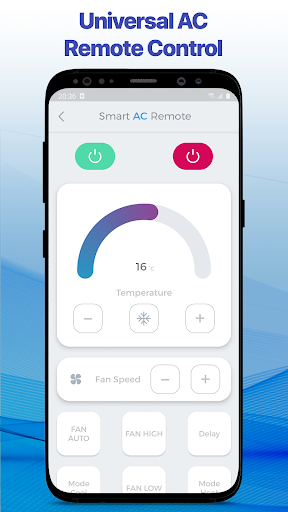
1) Turn your air conditioner on or off in general.
2) Choose the desired operating mode and intensity: cold, warm or ventilation, ceiling fan, and so on.
3) Adjust optimal temperature conditions.
4) Establish a working schedule for all your air conditioners in the house, so this function is especially important if you need to manage more than one device in one room.
5) Monitor the correct operation of the air conditioner and see an error code if it doesn't work correctly.
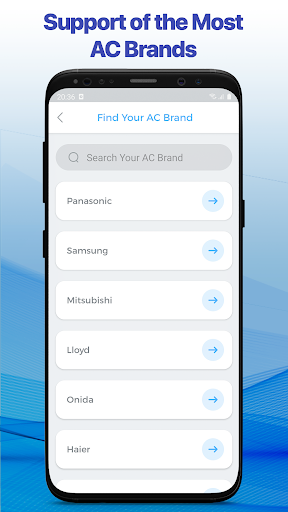
What air conditioners is our application compatible with?
You will definitely find your option from the list:
• Panasonic
• Samsung
• Mitsubishi
• Lloyd
• Onida
• Haier
• Sanyo
• LG
• Kenwood
• Gree
• Aux
• Daikin
• Midea
• Sharp
• TCL
• Toshiba
• Bluestar
• Bosch
• Carrier
• Daewoo
• Electrolux
• Friedrich
• Fujitsu
• General Electric
• GE
• Godrej
• Hisense
• Hitachi
• Hyundai
• National
• NEC
• NEO
• O-General
• Olimpia-Splendid
• Osaka
• Pioneer
• Premium
• Sansui
• Siemens
• Singer
• Trane
• Uni-air
• Videocon
• Voltas
• Westinghouse
• Whirlpool
• York and many others.
Lost your AC remote controller? No problem:
• Download our universal application right now, install and open it.
• Choose your brand of AC from the list of available ones and connect to it.
• Wait a little while yo