WOL-Wake On Lan


WOL-Wake On Lan Summary
WOL-Wake On Lan is a ad-supported, with in-app purchases Android app in Tools by Star Studio. Released in Aug 2019 (6 years ago). It has about 3.1K+ installs and 39 ratings with a 4.12★ (good) average. Based on AppGoblin estimates, it reaches roughly 316 monthly active users and generates around $<10K monthly revenue (64% IAP / 36% ads). Store metadata: updated May 6, 2026.
Recent activity: 85 installs this week (344 over 4 weeks) showing steady growth , and 1.00 new ratings this week View trends →
Store info: Last updated on Google Play on May 6, 2026 .
4.12★
Ratings: 39
Screenshots
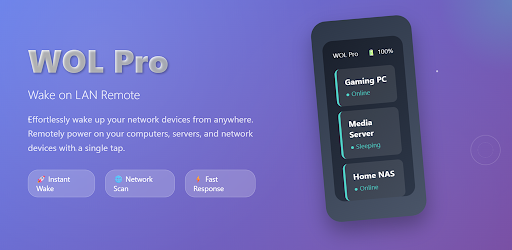


App Description
Wake NAS, PCs, and servers instantly with schedules, widgets, and Tasker.
WOL is a practical Wake on LAN app that helps you power on NAS, desktops, laptops, servers, and other WOL-capable
devices in seconds.
Whether for home media, remote work, or lab/device management, WOL makes startup workflows faster and simpler.
Key features:
- One-tap wake: send Magic Packet to start devices quickly
- Device management: add devices manually or scan LAN, then organize by groups
- Quick Wake: pin frequently used devices for faster access
- Scheduled tasks: auto wake by time and weekday
- Home screen widget: launch wake actions directly from your desktop
- Logs and stats: track wake history, success rate, and average duration
- Tasker plugin: integrate wake actions into automation flows (some advanced features require upgrade)
Why WOL:
- Clean interface, easy to use
- Built for multi-device and multi-scenario management
- Optimized for real LAN environments
- Actively maintained for stability and reliability
Use cases:
- Wake your NAS/HTPC before streaming or file access
- Auto-start office PCs or servers before work
- Manage multiple devices in labs, studios, or small offices
Before you start:
- Make sure Wake on LAN is enabled in BIOS/OS on target devices
- Use the same LAN or configure broadcast/network settings correctly
- For scheduled tasks, allow exact alarms and background activity as prompted
Privacy:
- The app is designed for LAN discovery and wake functionality
- It does not collect personal identity information
- Full details are available in the in-app Privacy Policy