Wireless Workbench Mobile

Wireless Workbench Mobile Summary
Wireless Workbench Mobile is a mobile Android app in Music And Audio by Shure Incorporated. Released in Sep 2021 (4 years ago). It has about 27.2K+ installs and 89 ratings with a 3.44★ (mixed) average. Based on AppGoblin estimates, it reaches roughly 1.2K monthly active users . Store metadata: updated May 8, 2026.
Recent activity: 118 installs this week (594 over 4 weeks) showing below average growth View trends →
Store info: Last updated on Google Play on May 8, 2026 .
3.44★
Ratings: 89
Screenshots


App Description
Wireless monitoring & control
ShurePlus Channels is now Wireless Workbench Mobile.
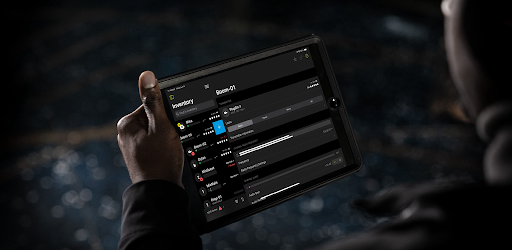
Wireless Workbench Mobile puts wireless control in your hands, wherever the job takes you. Built for professionals on the move, the app replaces ShurePlus Channels with a sleeker interface and powerful new tools. Whether on a walk test, working from a cart, or managing a live show, Wireless Workbench Mobile keeps you connected to your Shure Wireless and one step ahead.
Wireless Workbench Mobile supports the following Shure devices:
• Axient® Digital *
• ANX4
• SLX-D+
• SLX-D®
• ULX-D®
• QLX-D®
• PSM®1000
*Axient Digital PSM not yet supported
Wireless Control, Always Within Reach:
• Control your Shure wireless systems on the go with fast, intuitive mobile access.
• Make quick, informed decisions with an interface that highlights key channel data.
• Receive guided alerts that show precisely what’s wrong and how to fix it.
• Tag, color-label, and favorite channels to match your unique workflow.
• Connect over Wi-Fi or Ethernet for reliable performance in any environment.
How It Works:
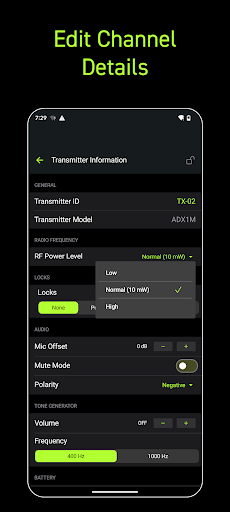
Wireless Workbench Mobile connects to supported Shure Wireless, displaying essential RF, battery, and audio data in real time. The streamlined layout adapts to your workflow, enabling you to focus on what matters most. Scan and deploy frequencies, monitor system performance, and troubleshoot directly from your tablet or phone.
Why It's Better:
Stay Ahead of Issues
Real-time alerts flag potential problems and provide guidance to resolve them, keeping your production on track.
Built for How You Work
Designed for speed and precision, the focused interface supports fast decisions in live production environments.