AR Drawing: Real Sketch


AR Drawing: Real Sketch Summary
AR Drawing: Real Sketch is a with in-app purchases Android app in Art And Design by Shush Creative. Released in Apr 2022 (4 years ago). It has about 511.3K+ installs and 923 ratings with a 3.99★ (average) average. Based on AppGoblin estimates, it reaches roughly 18.6K monthly active users and generates around $<10K monthly revenue (100% IAP / 0% ads). Store metadata: updated Aug 20, 2025.
Recent activity: 643 installs this week (2.2K over 4 weeks) showing steady growth , and 1.00 new ratings this week View trends →
Data tracking: SDKs and third-party integrations were last analyzed on Oct 7, 2024.
Store info: Last updated on Google Play on Aug 20, 2025 .
SDKs, Trackers & Permissions
AR Drawing: Real Sketch was last scanned for SDKs 2024-10-07. Below is the overview of third party companies detected in the app. The full list of raw SDKs, app permissions and unknown SDKs is available here.
 Firebase
 Google
App Details
App Store
Ads & App-Ads.txt
AppGoblin SDK Scans
3.99★
Ratings: 923
Screenshots

App Description
AR tracing tools for artists: trace, copy, and create with AR drawing features.
Real Sketch is FREE OF ADVERTISING! It includes 8 powerful drawing tools for artists, students, and professional designers.
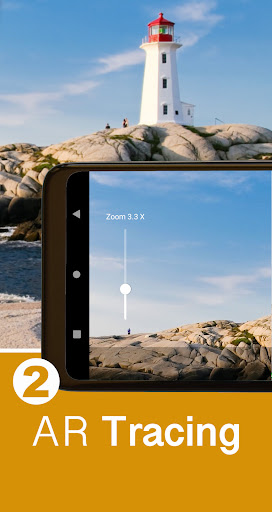
1. IMAGE TRACING (Free)
Use the tracing tool to trace and copy your images onto any surface using your phone's camera lens. Capture photos with your phone or load images from your gallery, then overlay and trace them onto any surface. AR Tracing makes tracing more versatile than traditional methods, allowing you to trace on paper, canvas, wood, plastic, or metal. Record a time-lapse video of your tracing process to share on social media.
2. CALLIGRAPHY TRACING (Pro)
The calligraphy tracing tool enables you to write like a professional. Choose your font, enter your text, and trace it from your screen onto any surface using your phone's camera lens. Similar to image AR tracing, you can record your work as you go.
3. SCALING GRID (Pro)
A traditional scaling grid helps you enlarge your image to fit your paper size precisely.
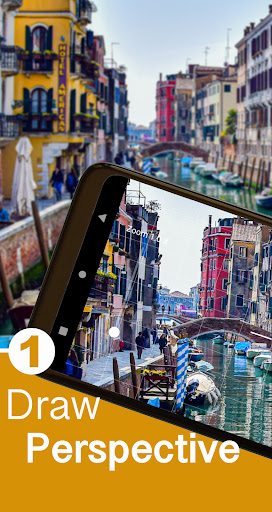
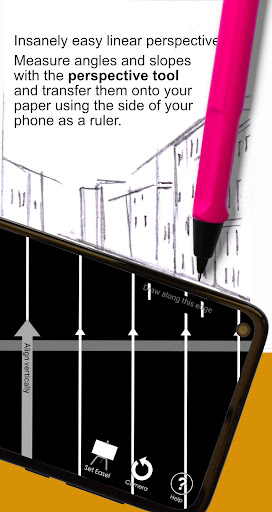
4. PERSPECTIVE TOOL (Free)
Draw scenes with perfect linear perspective easily. Measure angles and slopes, and transfer them onto your paper using the side of your phone as a ruler. Improve your perspective drawing skills through practice.
5. COLOR MIXER (Free)
Mix Primary, Secondary, and Tertiary colors using a painter's color wheel. See the resulting mixed color along with its Tint, Tone, and Shade.
6. COLOR HARMONIES (Pro)
Pick colors from photos or images to view their Complementary Colors, Split Complementaries, Triads, and Analogous Colors, based on Itten's Color Wheel. Build your color palette effectively.
7. TONAL VALUES (Pro)
View your scene in grayscale to determine the correct tonal values. Compare the tonal values of your artwork side-by-side with the scene.
8. SLOPE GAUGE (Pro)
Ensure accuracy in your drawing by checking the location of your eye-level line and angles within a scene.
The app is adjustable for use on flat surfaces or easels, according to your preference.
WHO IS IT FOR...
☆ Non-digital artists
☆ Urban sketchers
☆ Plein air painters
☆ Portrait painters
☆ New artists learning to draw
Both the Free and Pro (paid) versions of Real Sketch are free of advertising. Upgrade to the full Pro version within the app for a small fee to unlock the Calligraphy, Sca