Web Wallpaper


Web Wallpaper Summary
Web Wallpaper is a mobile Android app in Personalization by Vlad Simionescu. Released in Dec 2020 (5 years ago). It has about 646+ installs Based on AppGoblin estimates, it reaches roughly 22 monthly active users . Store metadata: updated Jun 12, 2024.
Recent activity: 8.00 installs this week (35 over 4 weeks) showing below average growth View trends →
Store info: Last updated on Google Play on Jun 12, 2024 .
0★
Ratings: 0
Screenshots

App Description
easily set Internet image or page as wallpaper; great classical art wallpapers
version 1.3.2
This app lets you navigate the Net to an image or page you like and quickly set it as your home screen and / or lock screen wallpaper.
Important notice: The wallpaper you set is a *static* image. It is not a live wallpaper. The page doesn't get refreshed on the lock screen. It does get refreshed in the app, but the wallpaper you set is a static image of the page at the moment you set it.
Features:
- Built-in Web browser that enables you to navigate to your desired image or page and quickly set it as your home screen or lock screen wallpaper.
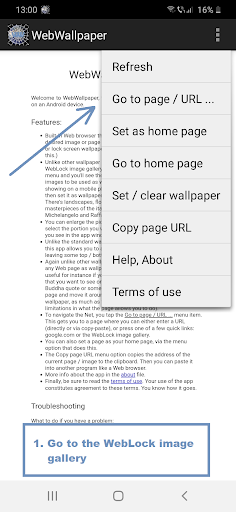
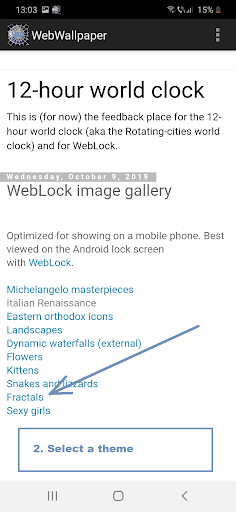
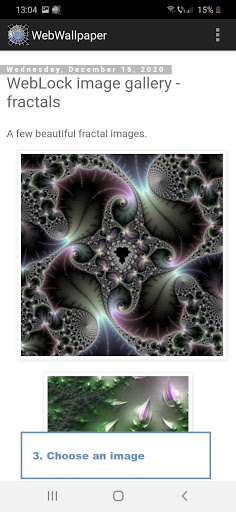
- Quick link to the WebLock image gallery (tap Go to page / URL ... from the app menu and you'll see the link). Here you find a good selection of images to be used as wallpapers, many of them optimized for showing on a mobile phone. Just tap on an image to open it, then set it as wallpaper via the menu option that does this. There's landscapes, flowers, fractals and more than 20 masterpieces of the italian Renaissance, by Leonardo, Michelangelo and Raffaello. And more.
- You can enlarge the picture as you want and move it around to select the portion you want to set as the wallpaper, and what you see in the app window is what you'll get as the wallpaper.
- Unlike the standard way of setting a wallpaper from settings, this app allows you to also set the entire image as wallpaper, by leaving some top / bottom black margin.
- Again unlike other wallpaper apps, with this one you can set any Web page as wallpaper, not just images. This is useful as sometimes an image cannot be displayed stand-alone. You can also enlarge the page and move it around to select the zone you want to set as wallpaper.
- (new in version 1.1) For stubborn pages / images that won't scale well, now there is the Take high-res image menu option. Especially helpful for Instagram pictures. Tap it and you'll be able to enlarge the page / image much more.
Note that the app requires no special permissions (for instance, it cannot read the hard disk). This can be checked. So it's demonstrably harmless to your privacy.