Always On Display: Edge Light

Always On Display: Edge Light Summary
Always On Display: Edge Light is a ad-supported Android app in Personalization by Luko Parallel App Pvt Ltd. Released in May 2017 (8 years ago). It has about 882.5K+ installs and 3.3K ratings with a 3.91★ (average) average. Based on AppGoblin estimates, it reaches roughly 31.7K monthly active users and generates around $<10K monthly revenue (0% IAP / 100% ads). Store metadata: updated Apr 10, 2023.
Recent activity: 28.7K installs this week (50.4K over 4 weeks) showing exceptional growth , and 1.00 new ratings this week View trends →
Store info: Last updated on Google Play on Apr 10, 2023 .
3.91★
Ratings: 3.3K
Screenshots


App Description
Always On Display app to show info about time, date & notifies in black screen
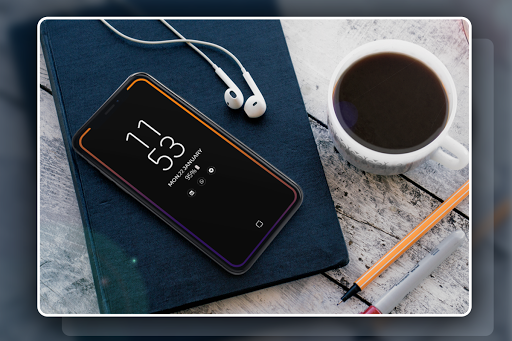
Always on Display - Always On AMOLED, Edge Lighting provides information about, time, date, notifications and more and all without having to touch the phone. Just by looking at mobile screen. This is made possible thanks to Always on Display. Most of the screen stays black except for a few pixels.
The app (Always On AMOLED) is designed for this proposes to show some basic info in black screen whenever you want. All this information will be permanently displayed on your screen.
If you want to see what's going on your phone, you can simply take your phone out of your pocket to view all the latest notifications, in a similarly pleasing and minimalistic manner by using this best Always On Display app.
What's New (1.0.19) :
- Time Rules which lets you set custom start and end time
- Adjust screen brightness and Auto Brightness
- shortcuts added such as flashlight, home button, Calculator
- Automatic rules which preserves battery life using predefined settings
- Pocket mode which uses proximity sensor to turn off screen when placed in your pocket
How to use this App (Always On Lock Screen):
1. Open Always on Display-AMOLED, start service
3. To weak up your phone, double tap on screen
4. To turn off screen just press power button
5. The user can on or off service.
AMOLED Wallpaper Main Features:
* Easy to use Always on Amoled.
* Great design and awesome performance.
* Enable/Disable showing notifications
* Automatic rules preserve battery using predefined rules •
* Change font size, color.
* Change clock style (digital, analog).
* Display battery level.
* Display notifications information.
* Display weather info.
* Always on' screen on (double tap will turn screen the on).
* Select the information that will be displayed on the screen.
* Change display position of info on the screen.
* Auto ON/OFF Screen feature.
New Feature Added
* Edge Lighting On Notification Added
* Galaxy Flasher on Notification Added
* Edge Notification Added
* Rounder Corner
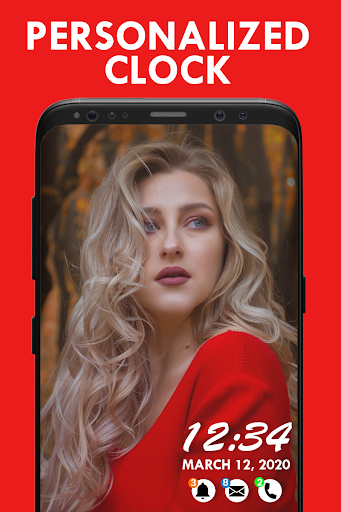
* Picture Clocks & Emoji Clocks Added
Permissions Used:
Camera Permission:
The app uses camera permission to toggle the flashlight
Phone Permission:
The app needs phone permission to recognize incoming calls, dismiss the app and show incoming calls.
Modify System Settings:
The app needs permission to change the device brightness, and set screen timeout for the app.
Disable Key-guard Permission:
Allows the app to disable the keylock when receiving an incoming phone call, then re-enables the keylock when the call is finished.
Note: We don't store or upload any personal information or transfer it to anyone.
I wish app (Always on Display-AMOLED) will make your life better and more convenient.