Clock AOD & Live Wallpaper


7.2K installs
Ratings not yet available
762 monthly active users
$<10K monthly revenue est.
IAP 42% · Ad 58%
Install Trends
Weekly +33
SteadyMonthly +201
SteadyClock AOD & Live Wallpaper Summary
Clock AOD & Live Wallpaper is a free, ad-supported, with in-app purchases Android app in Tools by SJP Techno Apps. Released in Oct 2024 (1 year ago). It has about 7.2K+ installs Based on AppGoblin estimates, it reaches roughly 762 monthly active users and generates around $<10K monthly revenue (42% IAP / 58% ads). Store last updated Jun 6, 2026
Recent activity: 33 installs this week (201 over 4 weeks) showing above average growth View trends →
Clock AOD & Live Wallpaper SDKs Summary
App not yet scanned for SDKs.
0★
Ratings: 0
Screenshots


App Description
Customize AOD clocks, live wallpapers, widgets, alarms & timers
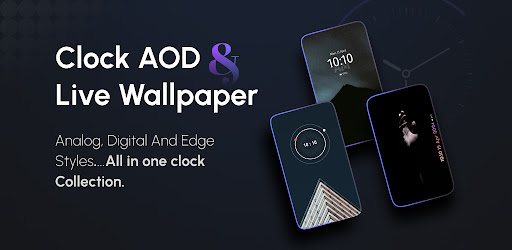
‣Easily customize your Phone with stunning live wallpapers and various clock styles! Choose from analog, digital, and edge clocks to personalize your device.
Experience unique AOD (Always-On-Display )themes, customizable alarm settings, a handy stopwatch, and a timer for all your needs.
➡Key Features:
•Live Clock Wallpapers: Select from a range of different types of clocks with customizable colors and images, then set them as your live wallpaper.
•AOD Themes: Choose from pre-designed clock backgrounds to set as your always-on display (AOD), enhancing your screen even when your phone is idle.
•Alarm Management: Set alarms with custom snooze options, day selection, and vibration control to ensure you never miss an important moment.
•Stopwatch & Timer: Manage time effectively with a stopwatch that includes markup and reset options, or set a timer with notifications to keep you on track.
•Clock Widgets: Add customizable analog or digital clocks as widgets on your home screen.
➡Perfect for:
‣Customizing your phone with stylish clock wallpapers and widgets.
‣Keeping track of time with always-visible AOD clocks.
‣Set alarms, stopwatch, and timer with ease.
‣Download App today and experience attractive clock widgets, AOD themes, and time management features, all in one app!
➡Permission:
Overlay permission: We require overlay permission to allow you to set AOD themes & display alarm screen over other apps.
Alarms permission: We require this permission to allow you to set alarms and reminder from the app.