Advanced Retro Emulator


Advanced Retro Emulator Summary
Advanced Retro Emulator is a free, ad-supported, with in-app purchases Android app in Tools by iClick Education. Released in Mar 2026 (6 months ago). It has about 59K+ installs and 38 ratings with a 3.92★ (average) average. Based on AppGoblin estimates, it reaches roughly 6.9K monthly active users and generates around $<10K monthly revenue (65% IAP / 35% ads). Store last updated Aug 12, 2026
Recent activity: 2.1K installs this week (7.9K over 4 weeks) showing steady growth , and 1.00 new ratings this week View trends →
Advanced Retro Emulator SDKs Summary
App not yet scanned for SDKs.
3.92★
Ratings: 38
Screenshots
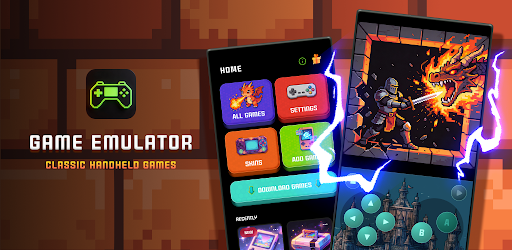


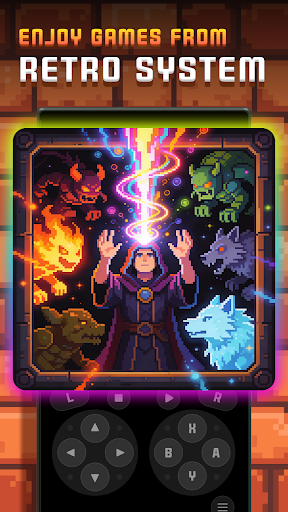
App Description
Advanced retro emulator with save states. Enjoy classic handheld games anywhere.
Step back in time and experience the golden era of handheld gaming with our Advanced Retro Emulator. Designed for speed, stability, and a seamless user experience, this 32-bit emulator lets you relive your favorite classic games directly on your mobile device.
Featuring a clean, minimalist UI with full Dark Mode support, the app ensures that your gaming sessions are distraction-free and comfortable on the eyes. Whether you are a hardcore retro gamer or just looking to revisit childhood memories, our emulator provides the ultimate emulation experience.
🚀 Core Features:
High-Performance Emulation: Optimized to run 32-bit retro games flawlessly at full 60fps without draining your battery.
Save & Load States: Never lose your progress. Save your game at any exact moment and resume instantly.
Minimalist & Clean UI: A modern, professional interface built with Japanese-inspired minimalist design principles, fully supporting Dark Mode.
Customizable Controls: Adjust the size, opacity, and position of the on-screen D-pad and buttons to perfectly suit your playstyle.
Fast-Forward Support: Skip through long cutscenes or slow RPG dialogues with customizable fast-forward speeds.
High Compatibility: Automatically scans and recognizes compressed files (.zip) and standard ROM formats.
📝 How to Play:
Obtain legally owned game ROMs and transfer them to your device's internal storage.
Open the emulator and tap the "Scan" icon.
Select your game and start playing instantly!
⚠️ IMPORTANT DISCLAIMER - PLEASE READ:
This application is an emulation tool ONLY. It does NOT include, contain, or distribute any game ROMs, copyrighted materials, or intellectual property belonging to any console manufacturer. Users are solely responsible for providing their own legally obtained game files. This app is not affiliated with, sponsored by, or endorsed by any video game hardware manufacturer or their respective trademark holders. All mentions of generic console types (e.g., 32-bit handheld) are for descriptive and compatibility purposes only.