Smart TV Remote: Skyworth TV

Smart TV Remote: Skyworth TV Summary
Smart TV Remote: Skyworth TV is a ad-supported Android app in Tools by Remote Master. Released in Dec 2022 (3 years ago). It has about 11.9K+ installs and 65 ratings with a 2.71★ (poor) average. Based on AppGoblin estimates, it reaches roughly 958 monthly active users and generates around $<10K monthly revenue (0% IAP / 100% ads). Store metadata: updated Dec 31, 2025.
Recent activity: 351 installs this week (779 over 4 weeks) showing exceptional growth View trends →
Store info: Last updated on Google Play on Dec 31, 2025 .
2.71★
Ratings: 65
Screenshots



App Description
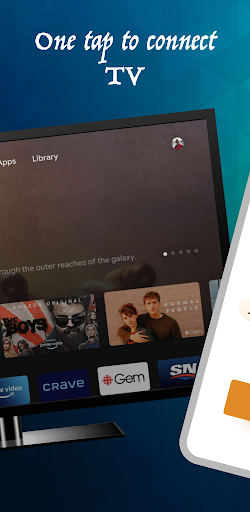
Skyworth TV Remote: Control Your TV from Your Phone and tablate with one tap
Smart TV Remote: Skyworth TV is a remote control app for Android devices that allows users to control their Skyworth TV from their smartphone or tablet. With this app, users can turn their TV on and off, adjust the volume, switch channels, and access a variety of other features and settings on their Skyworth TV.
The app is user-friendly and easy to use, with a clean and intuitive interface that makes it simple to navigate. It includes a virtual remote control that allows users to easily navigate their TV’s menus and settings, as well as a program guide that shows users what is currently on TV and what is coming up next.
In addition to basic TV control, the Smart TV Remote: Skyworth TV app also includes a variety of other useful features. For example, users can use the app to access streaming services like Netflix and Hulu, or to play music and videos from their phone on their TV. The app also includes a built-in screen mirroring feature that allows users to share the screen of their smartphone or tablet on their TV, making it easy to share photos, videos, and other content with friends and family.
Overall, the Smart TV Remote: Skyworth TV app is a must-have for anyone with a Skyworth TV, providing a convenient and easy way to control and access all of the features and functions of their TV from their Android device.
FAQs for Smart TV Remote: Skyworth TV app:
What devices is the Smart TV Remote: Skyworth TV app compatible with?
The app is compatible with Android devices.
Can I use the app to control my TV from anywhere?
Yes, as long as your smartphone or tablet is connected to the same Wi-Fi network as your TV, you can use the app to control your TV from anywhere in your home.
Can I use the app to access streaming services like Netflix and Hulu?
Yes, the app includes a built-in feature that allows you to access a variety of streaming services directly from your TV.
Can I use the app to play music and videos from my phone on my TV?
Yes, the app includes a feature that allows you to play music and videos from your phone on your TV.
Does the app include a screen mirroring feature?
Yes, the app includes a built-in screen mirroring feature that allows you to share the screen of your smartphone or tablet on your TV, making it easy to share photos, videos, and other content with friends and family.
Is the app easy to use?
Yes, t