Filesmaster Companion

Filesmaster Companion Summary
Filesmaster Companion is a free Android app in Tools by Mobimax Apps. Released in Oct 2015 (11 years ago). Store last updated May 23, 2023
Filesmaster Companion SDKs Summary
App not yet scanned for SDKs.
0★
Ratings:
Screenshots

App Description
The most extensive and comprehensive file explorer for Samsung Gear S2/S3/Sport
This is 'companion' version of Filesmaster which works only with Filesmaster installed on Samsung Gear S2/S3/Sport or Gear Fit 2/Fit Pro smartwaches. The Android version of Filesmaster you need to install only when you want to transfer files between phone and smartwatch by Bluetooth connection.
Install this Android plugin if you have installed:
1. Filesmaster on your Gear S2/S3/Sport/Galaxy Watch/Galaxy Watch 3 .
2. Filesmaster Watch on your Gear Fit 2/Fit Pro.
According to Samsung notes, when you install Filesmaster on your Gear S2 by Samsung Apps Store then Android version for phones will be installed automatically. Otherwise you should install Filesmaster for Android by Google Play store.
The most extensive and comprehensive file explorer in the store.
3 in 1: file browser, file viewer/player, file transfer.
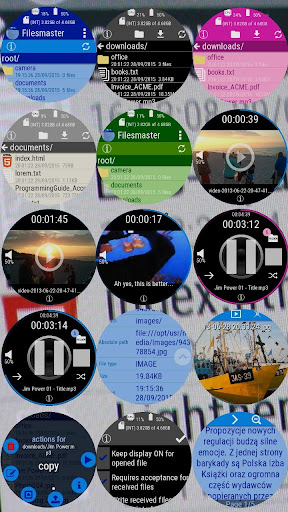
Filesmaster allows you to browse all files in your Gear smartwatch: create directories, copy, move, delete files/folders etc. It also can open many types of files direct from Filesmaster.
Available operations on file/folder:
- create folders
- delete files/folders
- copy files
- move files
- rename files
- show / play / view (depends on file type)
- show all information about file
- send/share a file to phone/tablet
- send/share a file from one watch to another one
Filesmaster can:
- view TXT and HTML files
- show picture files: manually one by one or slideshow
- play video files with subtitles (watch movies on the go)
- play all audio files
Shows live system parameters:
- CPU usage
- battery level
- all mounted storages (free and used space in bytes)
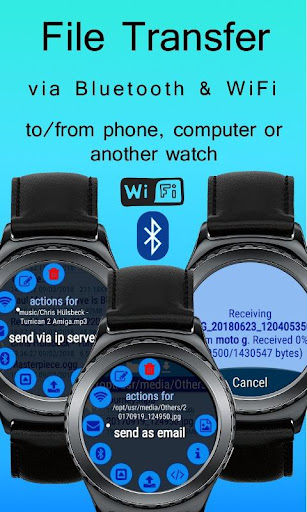
Filesmaster can transfer files for both directions: smartwatch -> phone, phone -> smartwatch.
Filesmaster can transfer files direct between 2 smartwatches by Bluetooth.
You can open video files with subtitles. So far SRT format is supported. Subtitles are loaded and shown automatically.
Please note: Filesmaster for Android works in background. - it doesn't have user interface.
BELOW 2 GUIDES ABOUT HOW TO COPY FILES BETWEEN GEAR AND PHONE
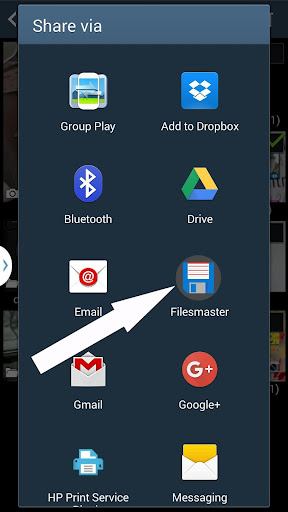
*** Follow these guide to copy files from phone to Gear:
1. Make sure you turned on Bluetooth connection for your phone and smartwatch too.
If you are connected and Filesmaster still says you are not please restart your watch - just turn it off and turn on after.
2. On phone side, choose a file to send to smartwatch. For example: holdays.jpg in Gallery app. Press this picture for long time or check it if you see check boxes in corner of the picture, and you should see context menu with optio