Filesmaster Mobile Plugin (Fil


Filesmaster Mobile Plugin (Fil Summary
Filesmaster Mobile Plugin (Fil is a free Android app in Tools by Mobimax Apps. Released in Apr 2016 (10 years ago). Store last updated Mar 14, 2018
Filesmaster Mobile Plugin (Fil SDKs Summary
App not yet scanned for SDKs.
0★
Ratings:
Screenshots



App Description
Filesmaster is the most extensive and comprehensive file explorer for Gear S2.
This plugin works with following apps available by Samsung Apps store for Gear S2/S3/Sport/Fit 2/Fit Pro:
- Filesmaster
- Filesmaster Standalone
- Music Player S2
Filesmaster is the most extensive and comprehensive file explorer for Samsung Gear S2 smartwatch. 3 in 1:
- file explorer,
- file viewer/player,
- file transfer (sending and receiving files)
This is Android plugin to transfer files between Android phone and Samsung Gear S2 paired with iPhone. Note: iPhone's plugin is not available in Apple Store now, - you should use any Android phone or tablet to transfer files to Gear S2 which is paired with Gear Manager on iOS (iPhone, iPad).
Hint: you can also transfer files direct between two Gear S2 watches. On each should be installed any version of Filesmaster for Gear S2 (no matter which Gear Manager is used: Android or iOS).
Now is also available computer plugin (Windows) to transfer files to Filesmaster installed on any Gear S2. It allows you to send files direct from your computer to Gear S2. Soon we are going prepare version for MacOS computers too.
Filesmaster Standalone for Gear S2 is standalone version of companion Filesmaster so far available for Gear S2 paired with Android phones. We made this plugin mainly for iOS users because there is no companion apps for iOS Gear Manager in Samsung Apps Store. Without this plugin you would not be able to change files between Gear S2 and the outside world.
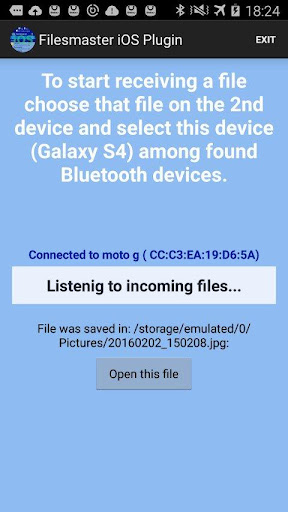
This plugin allows you to send files from phone to Gear S2 and receive files from Gear S2 to phone. It uses Bluetooth connection.
***** How to copy files from phone to Gear S2:
1. Make sure you turned on Bluetooth connection for your phone and smartwatch too.
2. On the watch side, open Filesmaster app. On main view click Bluetooth icon. Now your watch is listening for incoming files.
3. On the phone side, choose a file to send to smartwatch. For example: holidays.jpg in Gallery app. Press this picture for long time or check it if you see check boxes in corner of the picture, and you should see context menu with options or option on top bar. Choose an icon which means Share via or Send from context menu. Whether you can see options on top bar or context menu depends on device and AndroidOS version.
4. Now you see list of applications which can handle this type of file you chose. You should see
Filesmaster iOS Plugin too. Pick Filesmaster iOS Plugin and it's done. You should see progress dialog on smartwatch side. Received files are written to appropriate folders e.g, pictures in folder images/, doc files