SLR Booth Pro


SLR Booth Pro Summary
SLR Booth Pro is a with in-app purchases Android app in Photo And Video by SLR Booth Software. Released in May 2016 (9 years ago). It has about 227.6K+ installs and 886 ratings with a 3.12★ (mixed) average. Based on AppGoblin estimates, it reaches roughly 11.6K monthly active users and generates around $<10K monthly revenue (100% IAP / 0% ads). Store metadata: updated Jul 7, 2025.
Recent activity: 9.9K installs this week (17.6K over 4 weeks) showing exceptional growth , and 2.00 new ratings this week View trends →
Store info: Last updated on Google Play on Jul 7, 2025 .
3.12★
Ratings: 886
Screenshots

App Description
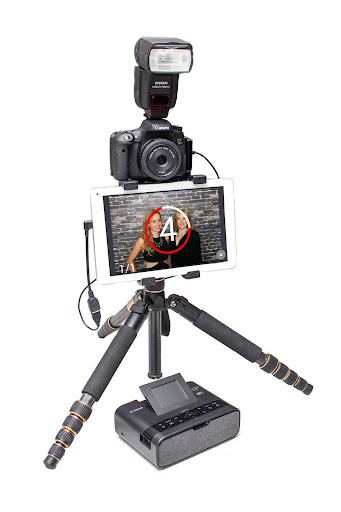
Create a high quality photo booth with your DSLR camera and an Android tablet.
SLR Booth Pro is the ultimate Photo Booth app for your DSLR & Android device
**Check if your camera is supported: http://www.slrbooth.com/devices and please note that not all cameras are supported by SLR Booth Pro**
**Connection Issues? Look here first! https://www.slrbooth.com/connection-issues**
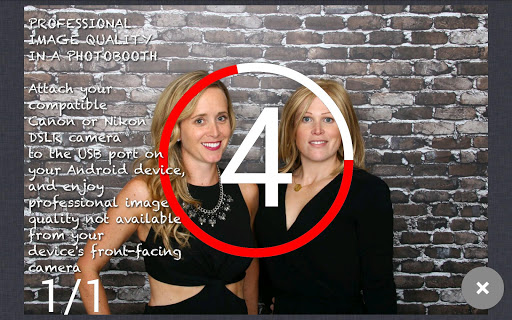
PROFESSIONAL IMAGE QUALITY IN A PHOTO BOOTH
Attach your compatible Canon or Nikon DSLR camera to the USB-otg port on your Android device, and enjoy professional image quality not available from your device's front-facing camera
Chroma-key background replacement.
Photo trigger via touch, bluetooth remote, or USB foot pedal.
CUSTOM TEMPLATES
Templates help your guests to remember the fun of your event. SLR Booth Pro allows you to create and upload your templates easily - no configuration files or coordinate specification required with our place holder auto-detection.
LIVE PREVIEW SCREEN YOUR USERS WILL LOVE
Everyone will be ready for the shot so they will look their best (or silliest!).
Adjustable countdown allows you to customize your events.
Kiosk mode available.
PHOTO SHARING FEATURES and ONLINE GALLERIES
Share individual photos via text, Facebook, Twitter, and email right from the app.
Send photos to guest phones while they are using the app (via QR code or SMS, even without SIM cards).
Automatic uploads to hosted, password-protected online galleries!
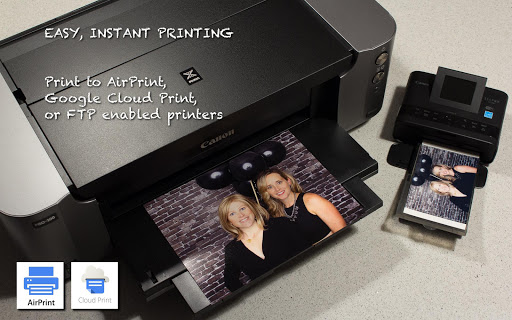
EASY PRINTING
Print to AirPrint, Google Cloud Print, or FTP enabled printers.
DEVICE COMPATIBILITY
For list of supported cameras: http://www.slrbooth.com/setup/slr-booth-supported-cameras/
Compatible with phones, tablets, all-in-ones, and TV boxes.
RESPONSIVE and HELPFUL CUSTOMER SUPPORT
If you have any issues with the app, reach out to us first! We pride ourselves on providing excellent, personal customer service and we will work with you to find a solution. We are available at info@slrbooth.com and will get back to you right away.
CLEAR DOCUMENTATION and HELP
We are always working to improve www.slrbooth.com to provide users with easy-to-use documentation and helpful hints for Photo Booth setup. If you have ideas for things you’d like to see, send us a note at info@slrbooth.com.