Data Transfer: Phone Clone App


Data Transfer: Phone Clone App Summary
Data Transfer: Phone Clone App is a ad-supported, with in-app purchases Android app in Tools by Vivid App Tech. It has about 13.8K+ installs Based on AppGoblin estimates, it reaches roughly 1.7K monthly active users and generates around $<10K monthly revenue (60% IAP / 40% ads). Store metadata: updated May 1, 2026.
Recent activity: 81 installs this week (2.2K over 4 weeks) showing declining growth View trends →
Store info: Last updated on Google Play on May 1, 2026 .
0★
Ratings: 0
Screenshots


App Description
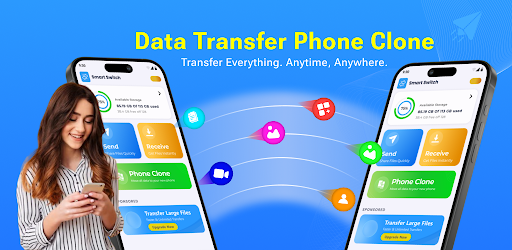
Transfer all data & clone your phone Fast, secure, and wireless file sharing.
📱 Upgrading your Android? Make migration effortless with our advanced phone transfer technology. Switch phone clone transfer data in minutes — contacts, photos, videos, apps move automatically. Smart share makes device switching simple. Getting a new device should be exciting, not stressful when you switch phone clone transfer data wirelessly.
😓 Tired of spending hours manually copying files? Traditional methods make migrations painful — cables break, cloud uploads fail, manufacturer tools lock you to one brand. Smart share solves this completely. Switch phone clone transfer data without cables, internet, or computer hassles. Old phone data trapped? Phone Clone feature connects devices directly so you can switch phone clone transfer data from any Android to any Android brand seamlessly.
✨ Data Transfer: Phone Clone App makes switching effortless. Our wireless technology lets you switch phone clone transfer data using Wi-Fi Direct only. Smart share works on all manufacturers supported. No internet connection required when you switch phone clone transfer data. Military-grade encryption protects everything transferred through smart share technology.
🚀 Phone Clone — Complete Device Mirror
Mirror your entire phone when you switch phone clone transfer data. Smart Share transfers everything seamlessly:
📸 Photos & Videos — your entire camera roll moves effortlessly
🎵 Music & Audio — playlists and tracks transfer smoothly when switching devices with Phone Clone data transfer
📁 Documents & Files — Transfer all your important files effortlessly with Smart Share
📱 Apps & Settings — Move your installed apps and preferences seamlessly when switching devices using Phone Clone
🔗 Smart Share — Lightning-Fast Wireless Transfer
High-speed local transfer when you switch phone clone transfer data: ⚡ Transfers 5GB in approximately in minutes through smart share
📡 Wi-Fi Direct connection — switch phone clone transfer data without internet
🎯 Real-time progress tracking with smart share technology
🔄 Bidirectional capability — switch phone clone transfer data both ways
Works universally. Switch phone clone transfer data whether upgrading any combination. Smart share moves data across all Android brands in minutes regardless of manufacturer when you switch phone clone transfer data.
📦 Perfect Transfer Scenarios:
🆕 Device upgrades — switch phone clone transfer data before activating new phone
🎁 Gift phone setup — smart share helps family members migrate
👨👩👧 Elderly assistance — switch phone clone transfer data for parents easily
🔧 Pre-factory reset — smart share backs up everything before wiping
💼 Work-personal dual phones — switch phone clone transfer data between devices
🔒 Secure & Private Transfer
Your data stays safe when you switch phone clone transfer data. Smart share connects devices directly — no cloud servers, no uploads, no external storage. Files stay between your phones when you switch phone clone transfer data locally. Smart share ensures complete privacy with device-to-device transfer only.
⚙️ Proven Reliable Technology:
✅ Smart share works Perfectly
✅ Switch phone clone transfer data across all manufacturers
✅ No file size limits with smart share
✅ QR code pairing when you switch phone clone transfer data
⬇️ Get It Now
Make your next device switch effortless. Switch phone clone transfer data in minutes, not hours, using smart share technology. Join millions experiencing seamless Android migration. Start transferring with smart share today.