ColorDict Dictionary

ColorDict Dictionary Summary
ColorDict Dictionary is a ad-supported Android app in Books And Reference by Notes. It has about 7.1M+ installs and 42.5K ratings with a 3.76★ (average) average. Based on AppGoblin estimates, it reaches roughly 873.8K monthly active users and generates around $50K+ monthly revenue (0% IAP / 100% ads). Store metadata: updated Sep 2, 2025, version 3005090.
Recent activity: -45 new ratings this week View trends →
Data tracking: SDKs and third-party integrations were last analyzed on Jun 6, 2026. The app's network data flows (API traffic to/from the app and its SDKs) were last crawled on Jun 6, 2026.
Store info: Last updated on Google Play on Sep 2, 2025 (version 3005090).
3.76★
Ratings: 42.5K
Screenshots

App Description
Free offline dictionary app that supports StarDict, Wordnet and online Wikipedia
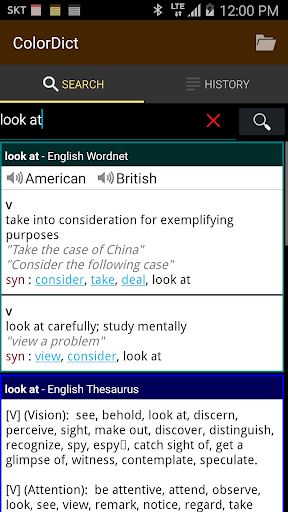
Search for words in Wikipedia, Wordnet and StarDict dictionaries. It's the best all-in-one dictionary in the market.
• A quick search multiple online & offline dictionaries at once
• Download free dictionaries such as StarDict-compatible dictionaries from the market and internet
Features
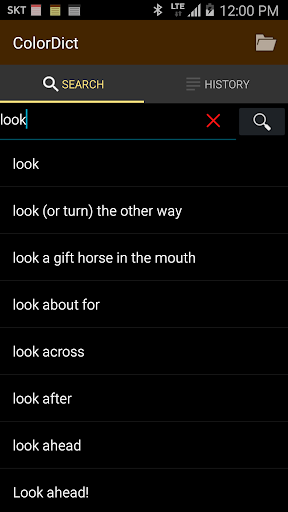
• Quick Search Box
• Long-click to share search results: Send results to other apps
• Word jump: Click a word to go to search results for that word
• Word suggestion: See auto-completions for partially entered words.
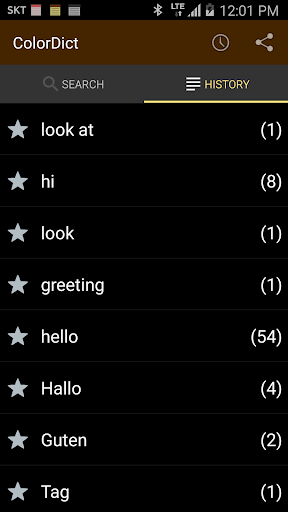
• Search history
• Customize color of dictionary
• Text-to-speech
• Voice recognition
• Supports ColorNote App: ColorNote dictionary integration
• Supports E-book Reader integration
Supported offline dictionaries:
• English Wordnet offline dictionary (included)
• English thesaurus offline dictionary (included)
• English <-> Japanese StarDict offline dictionary (Download Add-On)
• English <-> Chinese StarDict offline dictionary (Download Add-On)
• English <-> German StarDict offline dictionary (Download Add-On)
• English <-> Spanish StarDict offline dictionary (Download Add-On)
• Bible offline dictionary (stardict)
Supported online dictionary
• Wikipedia encyclopedia (included)
How to download StarDict dictionary from the internet.
• Download the file to your PC
• Copy compressed file (tar.bz2, *.tar.gz, *.zip) to sdcard /dictdata directory
or
• Dict - Menu - Direct Download - Enter URL
E-Book Readers integrated with ColorDict
• FBReader, Moon+ Reader, Cool Reader, ezPDF Reader
Developer support
• Supports Dictionary API for third-party developers