Weekly Planner


Weekly Planner Summary
Weekly Planner is a free, ad-supported Android app in Productivity by Recorder. Released in Aug 2024 (2 years ago). Store last updated Dec 6, 2024
Weekly Planner SDKs Summary
App not yet scanned for SDKs.
0★
Ratings:
Screenshots

App Description
Organize your schedule with this weekly planner for clear, efficient planning
Introducing the ultimate Weekly Planner App, designed to make your daily life more organized, productive, and stress-free. With its clean interface and powerful features, this daily planner, calendar app, and task manager gives you full control of your time. Whether you’re planning study schedules, managing work projects, or organizing family routines, this app adapts to your lifestyle and helps you stay on top of everything that matters.
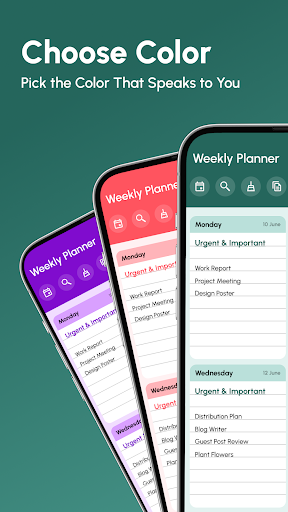
Weekly Planner App is a powerful digital planner with reminders, hourly schedule options, and smart calendar integration—perfect for busy students, professionals, and anyone looking to simplify their week. You can easily create recurring tasks, set notifications, and copy weekly templates to save time. With customizable themes, widgets, and PDF export options, it’s the most flexible productivity planner and to-do list organizer to keep you focused, efficient, and in control of your day.
🛠️ Features
🗓️ Weekly Planning Made Easy
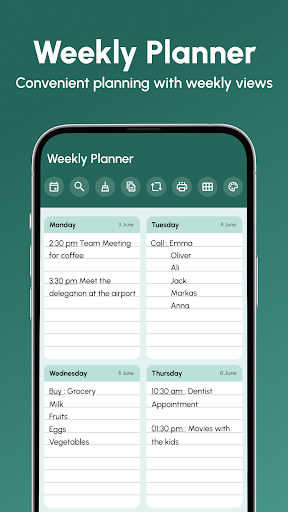
● A visually appealing weekly layout that allows you to view and organize tasks for each day at a glance.
● Quick edits to add, remove, or rearrange tasks directly on the weekly interface.
🔔 Reminders and Notifications
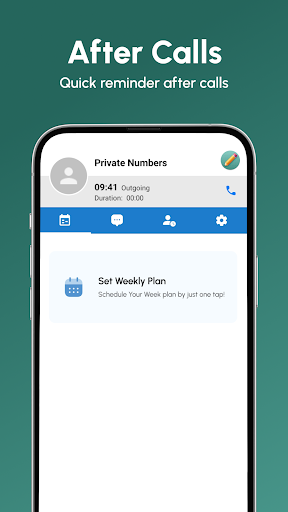
● Never forget an important task or event again. Set reminders and receive notifications for your scheduled items.
🧹 Flexible Cleaning Options
● Use the Clean feature to declutter your schedule. Choose to clean the current week or clear schedules for multiple months, freeing up your planner.
🔄 Efficient Task Copying
● Quickly copy an entire week or just a single day to reuse repetitive schedules or templates. Perfect for recurring activities and events.
🔂 Repeat Tasks with Ease
● The repeat feature allows you to enter frequently used tasks. Customize text formatting (bold, italic, underline) and colors to make your schedule visually distinct and organized.
📅 Customizable Start of the Week
● Select the first day of the week to match your routine—start planning from Monday, Sunday, or even Saturday.
⚙️ Advanced Settings for Personalization
● Theme options: Switch between light and dark modes for a comfortable viewing experience.
● Password protection: Enhance security by requiring a fingerprint or password to open the app.
● Enable hour fields for time-specific tasks, making it ideal for detail