Spark Kiosk


Spark Kiosk Summary
Spark Kiosk is a mobile Android app in Education by Spark Membership, LLC. Released in Jan 2019 (7 years ago). It has about 4.9K+ installs and 19 ratings with a 4.50★ (excellent) average. Based on AppGoblin estimates, it reaches roughly 69 monthly active users . Store metadata: updated Dec 9, 2025.
Recent activity: 6.00 installs this week (28 over 4 weeks) showing steady growth View trends →
Store info: Last updated on Google Play on Dec 9, 2025 .
4.5★
Ratings: 19
Screenshots



App Description
Spark Kiosk app allows you to use your Android tablet for Attendance kiosk.
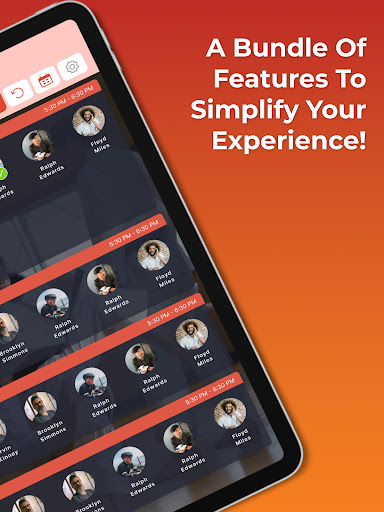
Elevate your attendance management with the Spark Kiosk app, turning your Android tablet into a standalone attendance solution. Students breeze through check-ins in seconds, while staying informed with the latest events and announcements displayed between check-ins.
Experience Personalized Viewing with Light/Dark Mode
Enjoy a sleek, user-friendly interface with Light and Dark modes, offering a personalized experience tailored to any lighting scenario.
Effortless Instructor Mode for Management Control
Introducing Instructor Mode! Perform all management tasks directly from your kiosk. Activate it securely with a PIN code, granting exclusive access to essential management features.
Efficiency at Your Fingertips: Roster and Attendance Management
From effortless scheduling in Instructor Mode to comprehensive roster management, handle additions, deletions, and updates seamlessly. Review class attendance at a glance or drill down to individual student records effortlessly.
Guardian Notifications for Check-In/Check-Out
Ensure safety and peace of mind with our Check-In/Check-Out feature. Keep guardians informed about pick-ups, offering reassurance and timely notifications.
Personalize Student Profiles with Picture Uploads
Empower students to add a touch of identity by uploading their pictures, creating a personalized experience within the app.
--------------------------------------
If you have any feedback or questions, please go to Spark Kiosk > Settings > Feedback