Specops Authenticator


Specops Authenticator Summary
Specops Authenticator is a mobile Android app in Productivity by Specops Software. Released in Jun 2015 (10 years ago). It has about 9.9K+ installs Based on AppGoblin estimates, it reaches roughly 602 monthly active users . Store metadata: updated Aug 15, 2024.
Recent activity: 13 installs this week (63 over 4 weeks) showing steady growth View trends →
Store info: Last updated on Google Play on Aug 15, 2024 .
0★
Ratings: 0
Screenshots



App Description
Specops Authenticator allows one time password authentication to Specops uReset
Note! This is a corporate app that can be used only if your organization uses Specops uReset. It will NOT work for personal use.
Specops Authenticator allows users to authenticate with one time passwords to the Specops uReset self-service password reset service. The application generates a secret code that users must provide in addition to their username when authenticating their identity during a password reset.
Before a user can use the Specops Authenticator app, they must enroll in the service by completing the set-up operation.
1. Install the Specops Authenticator and start it
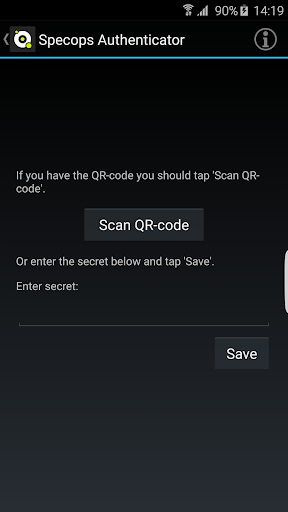
2. Select scan QR code button from the Specops Authenticator application
3. From the uReset enrollment page, select the Specops Authenticator
4. Scan the QR code on the uReset enrollment page with the Specops Authenticator application
5. Specops Authenticator will generate a temporary passcode, enter this passcode and select verify.