Splashtop Wired XDisplay


Splashtop Wired XDisplay Summary
Splashtop Wired XDisplay is a mobile Android app in Tools by Splashtop. Released in Nov 2015 (10 years ago). It has about 1.8M+ installs and 6.1K ratings with a 2.57★ (poor) average. Based on AppGoblin estimates, it reaches roughly 13.5K monthly active users . Store metadata: updated Apr 12, 2023.
Store info: Last updated on Google Play on Apr 12, 2023 .
2.57★
Ratings: 6.1K
Screenshots


App Description
Use your Android as an extra monitor to your PC!
*** This is free 10-minute session to experience the product and ensure it works well for your need, you can purchase the formal version to unlock the session time limitation. ***
**** Notice: if you run into connectivity problem, strongly recommend to check out this page: http://support-xdisplay.splashtop.com/entries/107449333 ****
**** Developed by the Creator of Splashtop Remote Desktop, the best remote desktop app developer, with over 20 million users! ****
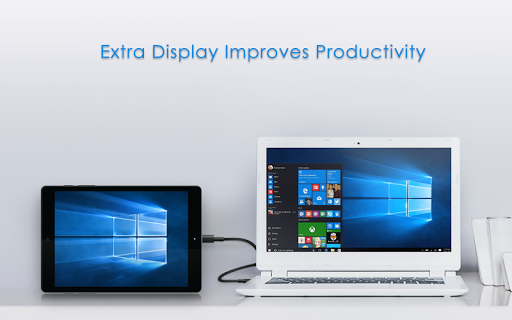
Splashtop Wired XDisplay turns an Android into an extra display for your computer, enhancing productivity.
HANDY USE CASES
* Use your Android screen to host your favorite gadgets, like IM, Facebook, Twitter, etc.
* Use your Android screen as a rendering screen for Photoshop, AutoCAD, etc.
* Use your Android screen for side-by-side display of your Word, Excel and Powerpoint
* Use your Android screen to read documents in portrait mode
* Use your Android screen to use your Windows software via direct touch
* And much more fancy usage possibilities for you to explore...
FEATURES
* High Performance
* Support for Windows 7 default Aero desktop theme featuring translucent windows
* Auto orientation when Android is turned (works in both landscape and portrait modes)
* Ability to choose the position of your extended display relative to the computer
* Secure wired connection
SIMPLE SETUP
1. Download Splashtop Wired XDisplay (this app)
2. Download and run the FREE Splashtop Wired XDisplay Agent on your MAC or PC at http://www.splashtop.com/wiredxdisplay
3. Enable USB debugging option on your Android device
4. Connect your Android to PC using a USB cable
COMPUTERS SUPPORTED
* Windows 7, 8, 10, and later
Would like to see this app in your language, please help translate at:
http://transcommu.yasesprox.com/transcommu/Applications/View/3456