Split Screen & Dual Window App

Split Screen & Dual Window App Summary
Split Screen & Dual Window App is a ad-supported, with in-app purchases Android app in Tools by AT-Mobile. Released in Jul 2023 (2 years ago). It has about 384.8K+ installs and 6.4K ratings with a 3.78★ (average) average. Based on AppGoblin estimates, it reaches roughly 20.1K monthly active users and generates around $<10K monthly revenue (47% IAP / 53% ads). Store metadata: updated Oct 11, 2025.
Recent activity: 1.7K installs this week (7.3K over 4 weeks) showing steady growth , and 46 new ratings this week View trends →
Store info: Last updated on Google Play on Oct 11, 2025 .
3.78★
Ratings: 6.4K
Screenshots

App Description
Boost productivity with Split Screen, Dual Window, and MultiScreen features.
Experience the ultimate multitasking capabilities with our feature-packed app that combines the power of Split Screen, Dual Window, and MultiScreen functionality. Seamlessly divide your device's screen into two independent windows, allowing you to effortlessly run and interact with multiple apps simultaneously.
Key Features:
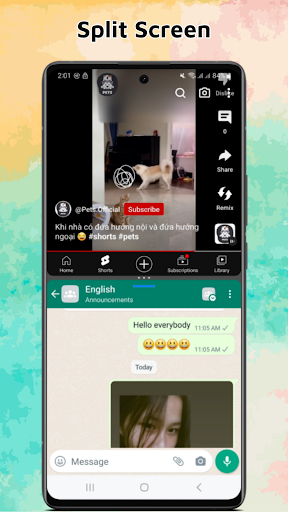
- Split Screen: Enjoy the convenience of using two apps side by side, enhancing your productivity and efficiency. Easily perform tasks like reading articles while taking notes, chatting with friends while browsing the web, or watching a video while checking emails.
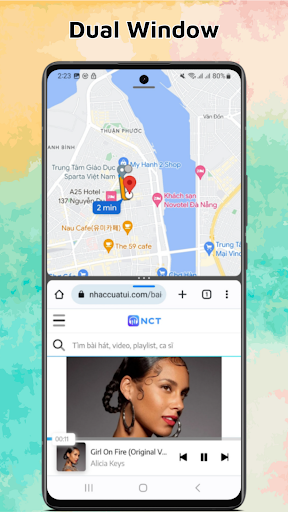
- Dual Window: Take multitasking to the next level with our Dual Window feature. Open two apps in resizable windows, giving you the flexibility to adjust their sizes according to your preference. Compare information, copy and paste content, and seamlessly switch between apps with ease.
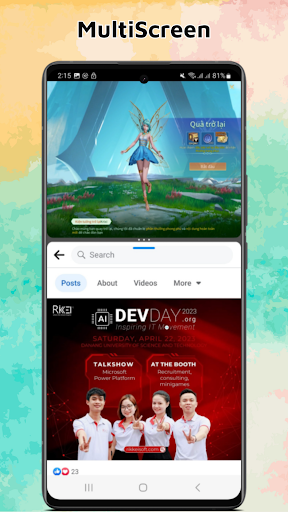
- MultiScreen: Embrace the power of MultiScreen functionality, allowing you to effortlessly manage and navigate through multiple apps simultaneously. Stay organized and efficient by having multiple apps running at the same time, each in their own window.
- Intuitive Interface: Our user-friendly interface makes it simple to control and manage the split screen, dual window, and MultiScreen settings. Easily drag and drop apps to switch their positions, resize windows by dragging the edges, and seamlessly switch between different apps and screens.
- Enhanced Productivity: Unlock the full potential of your device with our app's advanced multitasking features. Boost your productivity, streamline your workflow, and make the most out of your valuable screen real estate.
- Create Shortcuts: Easily create shortcuts to apps you need to split screen
With our app, you can unleash the true multitasking power of your device. Seamlessly run multiple apps, compare information, and perform tasks efficiently with our Split Screen, Dual Window, and MultiScreen features. Upgrade your multitasking experience today.