LingoTube dual caption player


LingoTube dual caption player Summary
LingoTube dual caption player is a ad-supported Android app in Education by 주식회사 스프링워크. Released in Dec 2019 (6 years ago). It has about 4.8M+ installs and 31.6K ratings with a 4.28★ (good) average. Based on AppGoblin estimates, it reaches roughly 52.3K monthly active users and generates around $10K+ monthly revenue (0% IAP / 100% ads). Store metadata: updated Mar 21, 2024, version 255.
Recent activity: 3.5K installs this week (279.8K over 4 weeks) showing exceptional growth , and 14 new ratings this week View trends →
Data tracking: SDKs and third-party integrations were last analyzed on Sep 27, 2025. The app's network data flows (API traffic to/from the app and its SDKs) were last crawled on Dec 28, 2025.
Store info: Last updated on Google Play on Mar 21, 2024 (version 255).
LingoTube dual caption player was last scanned for SDKs 2025-09-27. Below is the overview of third party companies detected in the app. The full list of raw SDKs, app permissions and unknown SDKs is available here.
 AdMob
AdMob Smaato
 Google
 Kotlin
 Firebase
4.28★
Ratings: 31.6K
Screenshots


App Description
Dual subtitle player for language learner - English, Korean, Spanish, Japanese
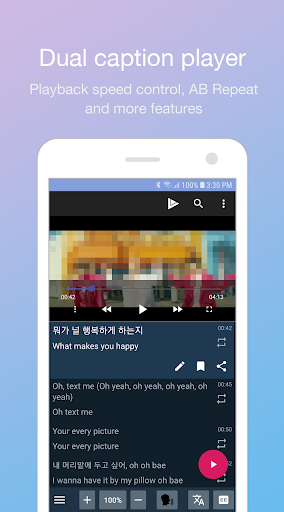
LingoTube is a dual subtitle (caption) player for English, Spanish, Korean (K-pop), French, German and other language learning!
You can surf and enjoy all the features of the most famous streaming site.
LingoTube adds many features to the site for language learning.
You can also play video files with subtitle files. (Supports SRT, SMI)
* It provides catalogs for learners. (English, Korean, Spanish, Japanese)
* Based on your level, you can choose subtitle mode.(foreign language / native language / all languages)
* It change subtitle mode automatically during play and pause.
* You can control playback speed.
* It supports AB repeat and practice mode. (Listen-> Speak-> Listen)
* It provides Google translated subtitles.
* You can use dictionaries and translations (require third-party apps)
* You can edit, bookmark and share subtitles.
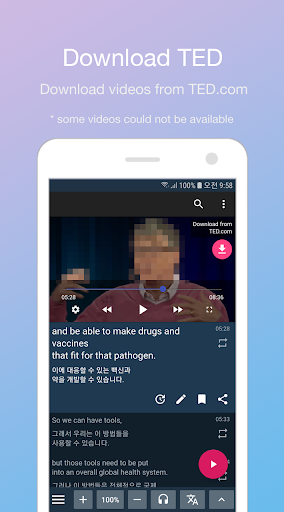
* You can merge subtitles into complete sentences. it is effective for TED videos.
* When paused, it rewinds to the start of the current subtitle.