AI Maker Pro: Video Art Design

AI Maker Pro: Video Art Design Summary
AI Maker Pro: Video Art Design is a with in-app purchases Android app in Art And Design by ElThree,Inc.. Released in May 2024 (2 years ago). It has about 165.6K+ installs and 270 ratings with a 3.32★ (mixed) average. Based on AppGoblin estimates, it reaches roughly 8.1K monthly active users and generates around $<10K monthly revenue (100% IAP / 0% ads). Store metadata: updated Jan 5, 2026.
Recent activity: 554 installs this week (1.1K over 4 weeks) showing steady growth , and 2.00 new ratings this week View trends →
Data tracking: SDKs and third-party integrations were last analyzed on Nov 5, 2024.
Store info: Last updated on Google Play on Jan 5, 2026 .
3.32★
Ratings: 270
Screenshots


App Description
Your Personal AI Graphic Designer & Creative Studio
Turn your ideas into visual reality with AI Maker Pro. Whether you need to tweak a photo, generate art from scratch, or turn a still memory into a moving video, we give you the tools to create professional-grade visuals without the steep learning curve. It’s as easy as chatting with a friend.
✨ NEW: The Image Lab
It's like talking to your own graphic design guy. Modify your images simply by asking. Upload a photo or import one from your gallery and chat with the AI to make edits.
How it works: Use text instructions and/or upload up to 3 reference images to guide the style.
Versatile Formats: Create in 10 different aspect ratios, including 1:1, 9:16, 16:9, 4:5, and more.
🎨 Text-to-Image Generation
If you can type it, we can draw it. Describe your vision and watch AI Maker Pro bring it to life. Perfect for social media posts, wallpapers, or creative inspiration.
Reference Ready: Use up to 3 reference images to help the AI understand your vibe.
Any Shape You Need: Available in all major aspect ratios (Square, Portrait, Landscape, VIntage, etc.).
🎬 AI Video Studio
Bring your stories to life with motion.
1. Image-to-Video NEW! Take any still image, personal photos or AI-generated art, and transform it into a stunning video. Use any of the available formats: Square (1:1), Vertical (9:16), or Horizontal (16:9).
2. Text-to-Video Creation Create videos from scratch using just words.
- Kling model: Generate 2 images from text, pick your favorite, and turn it into a 4-second stunning video
- Create 5-second videos instantly using the Minimax (16:9) or Wan (Square, Vertical, Horizontal) models.
Quality Control: Wan model supports 480p, 580p, and 720p resolutions.
🚀 Community & Gallery
Your Portfolio: All your creations are saved to your personal Gallery. Modify them further or download them anytime.
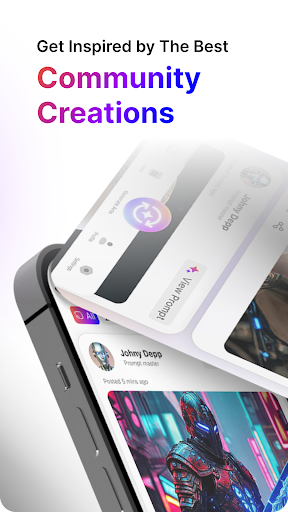
"Best Of" Feed: Need inspiration? Scroll through the community feed to see what others are making, view their prompts, and like your favorites
.
Unlock your creativity today. Download AI Maker Pro and start creating!